Comment for the link: sending links from Instagram Reel comments to DMs
Contents
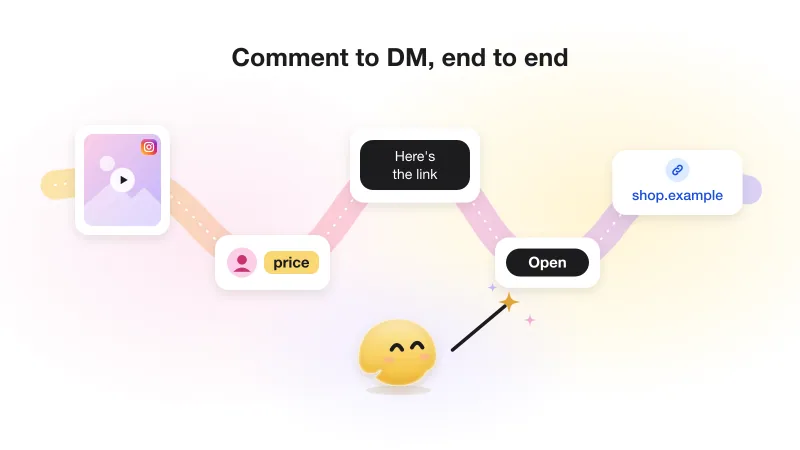
To send a link in a DM after someone comments on your Instagram Reel, connect a tool that uses Instagram's official API and set a comment trigger. The viewer comments a keyword, the tool answers with one private message that has a tap button, and the tap brings the link. You set it up once per Reel, or once for all of them.
This guide covers the parts that are specific to Reels and to creators: where to ask for the comment, why the link arrives in the second message, how to send a PDF lead magnet, how to measure each Reel, and what happens when one suddenly takes off. For the general mechanics, start with how comment-to-DM works end to end.
Why "comment for the link" beats "link in bio" for Reels
Links in a Reel caption are not clickable, so the usual instruction is "link in bio". That sends the viewer out of the Reel, into your profile, onto a link page, and then hunting for the right item. Every step loses people, and when someone does arrive, you can't tell which Reel sent them.
"Comment for the link" replaces that route with one action under the video. The link lands in the viewer's messages, where it is easy to open later, and each Reel can carry its own link. You also get a conversation with someone who has just told you they care about the topic.
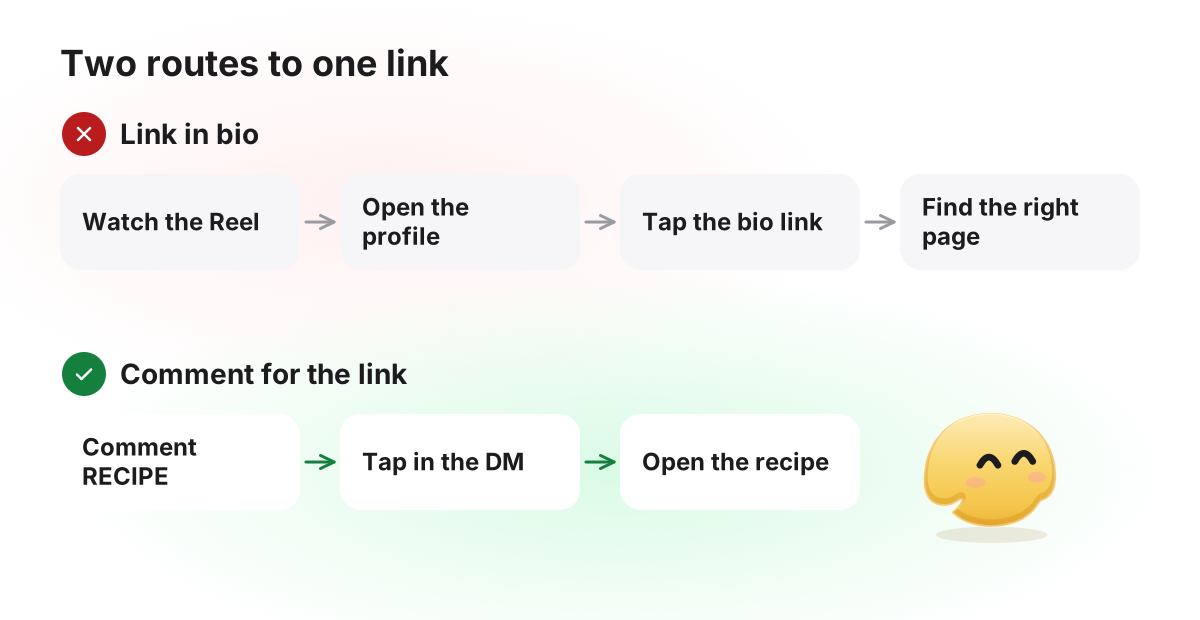
Your bio link still has a job: evergreen pages such as your shop or your booking page. Use the comment route for anything tied to one Reel, like today's recipe or the product you just showed.
What you can send: links, lead magnets and media
Anything that lives at a URL works. GetChat can also attach a photo or a video to the second message, but not a PDF or any other document: a document goes behind a link button.
What to put in the DM, by offer
| Offer in the Reel | What the DM carries | Keep in mind |
|---|---|---|
| Free guide or checklist (lead magnet) | A link button to the PDF, hosted on your site or a cloud drive | Check the file opens on a phone without a sign-in |
| Product shown in the video | A button to the product page | Link to the exact product, not the shop's home page |
| Discount | The code in the text and a button to the shop | Say how long the code is valid |
| Webinar, waitlist or course launch | A button to your sign-up page | The sign-up form on your site is where you ask for an email |
| Recipe, playlist, list of tools | A button to the full list | Up to three link buttons in one message |
For a lead magnet, a link button straight to the hosted PDF is the simplest experience: one tap and it opens. If you also want an email address, link to a page on your own site that asks for it; GetChat does not ask for contact details inside the DM.
The two-message rule: why the link comes after a tap
Meta allows one private reply per comment, and nothing more until the person responds (Meta, private replies; all the rules in Meta's rules, with sources). Every comment-to-DM tool works inside that rule, so the conversation has the same shape whichever tool you use.
So the first message is short and ends with a button: "Tap and I'll send the guide." The tap counts as a response. It opens the 24-hour window and moves the automation on, and the second message carries the link buttons. Viewers on a computer are the exception: Meta notes that quick-reply buttons are not shown on desktop, so they can only type. A typed reply opens the window but does not continue the automation, so you would have to send the link by hand. What happens when nobody taps is covered in the one-message rule for private replies.
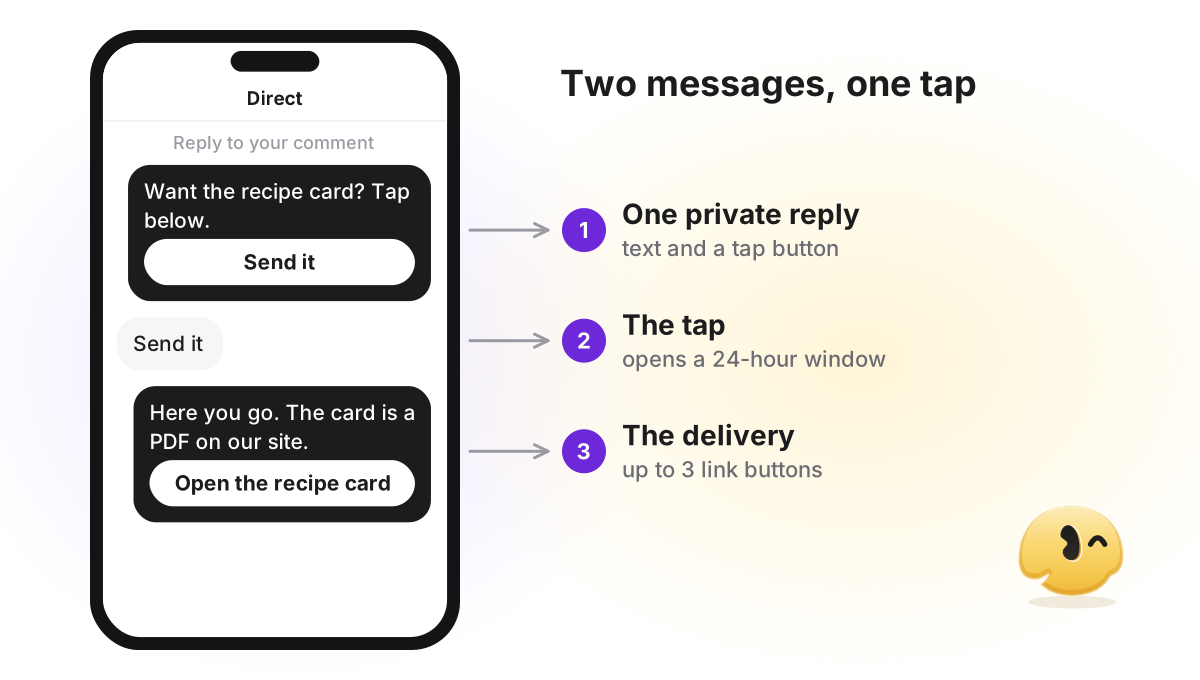
- Commentrecipe
- Public replySent it to your DMs. Check message requests if you don't see it.
- DMHi! Want the full recipe card with quantities? Tap below. [Button: "Send the recipe"]
- DMAfter the tap: Here you go. [Button: "Open the recipe card"] [Button: "Shop the pan"]
Where to put the keyword in a Reel
When a Reel gets views but few requests, the usual reason is that viewers didn't catch what to type. People watch Reels with the caption collapsed and often with the sound off, so say the keyword in more than one place:
- On screen, early. A text overlay in the first seconds, large and held long enough to read. Repeat it on the last frame, where people decide what to do next.
- Out loud. Say the word exactly as it is spelled in your automation, not a synonym.
- First line of the caption. Only the first line shows before "more".
- A pinned comment. Pin a comment that contains just the keyword. Viewers copy what they see.
Pick a word that people would not type by accident and that is easy to spell: recipe, guide, checklist. Short common words catch more than you want; by default GetChat looks for the keyword anywhere in the comment, so link would also fire on "linkedin". Plurals, misspellings and exact match are covered in trigger words for your Reel.
Use a link button, not a pasted URL
You can paste a URL into the message text, but a button works better, for three reasons. A long address with tracking tags looks like spam. A button tells the viewer what they get ("Open the recipe") instead of showing them a domain. And in GetChat, link buttons go through a redirect that counts the tap, so you can see how many people actually opened the link. A URL pasted into the text is not counted.
Add UTM tags to the URL behind the button so your site analytics can tell your Reels apart, for example ?utm_source=instagram&utm_medium=dm&utm_campaign=reel-pasta. Keep source and medium the same everywhere and change only campaign per Reel. Then a sale or a sign-up on your site can be traced back to the video that started it.
Setting it up in GetChat
The general setup (connecting a Professional account, picking the trigger, public replies) is in how comment-to-DM works end to end. For a Reel, four choices matter:
Choose the Reel, or all of them
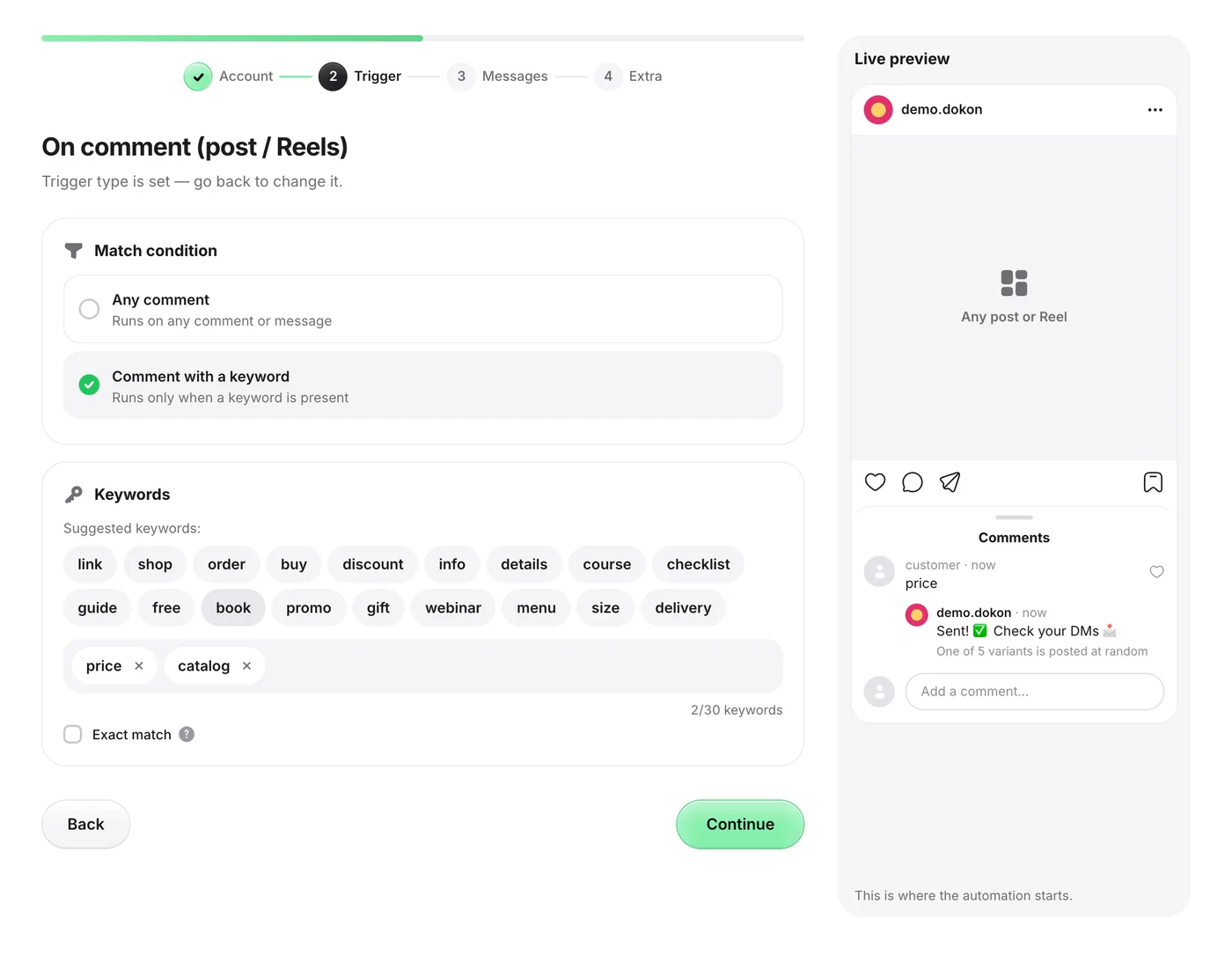
In New automation → Quick triggers → On comment (post / Reels), pick the Reel under Which post?. Only a published Reel appears there, so bind the automation in the first minutes after you post. If you want it running before the Reel goes live, choose All posts and a keyword unique to this Reel.
Add the keyword you say in the video
Select Comment with a keyword and type the word exactly as it appears on screen, plus the misspellings you expect. Leave Exact match off, so "recipe please" still counts.
Write the two messages
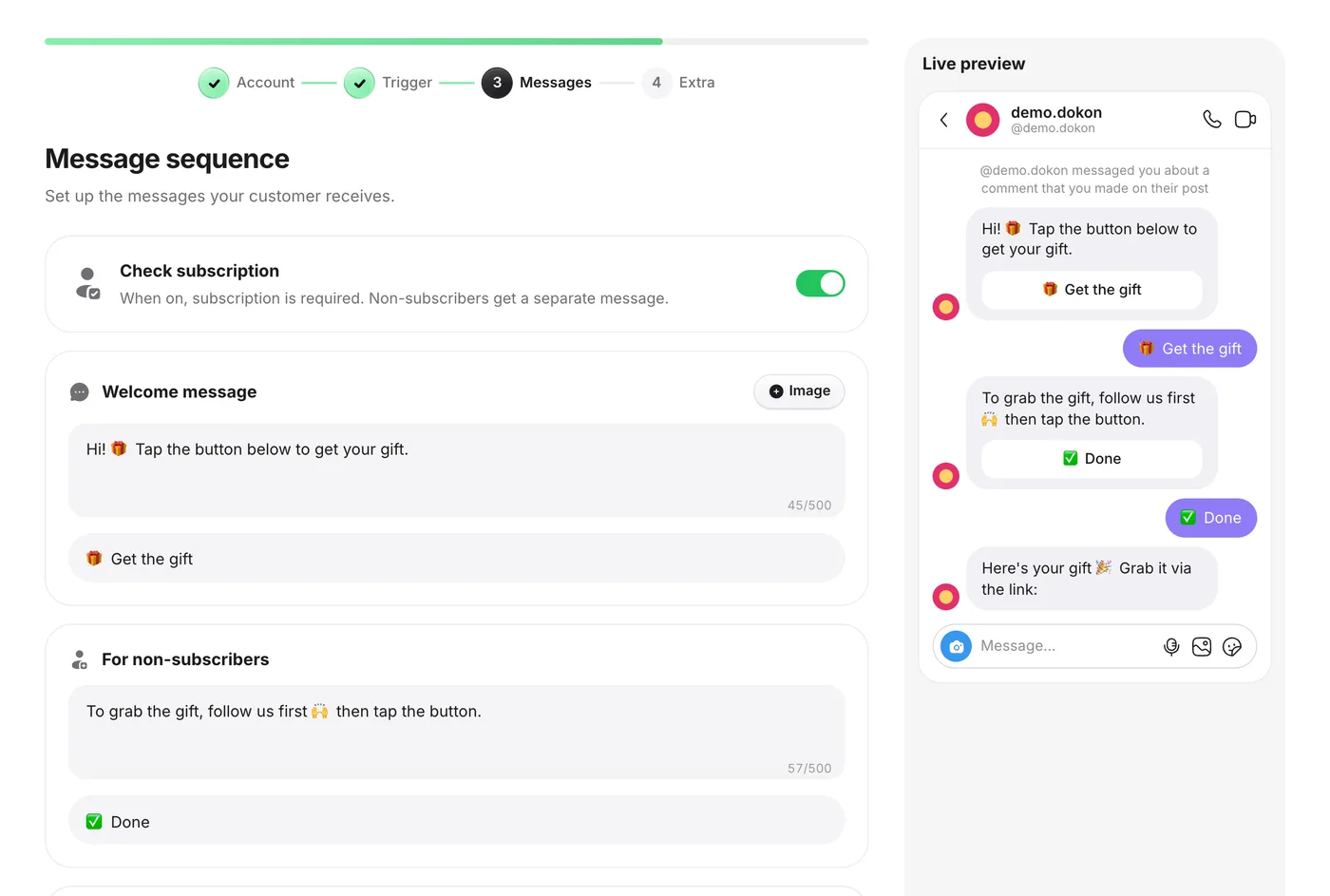
In Messages, the Welcome message gets one short line and its tap button. The Main reply gets the link buttons (up to three, each URL starting with
https://, UTM tags included) and, if you like, a photo or a video.Enable it and test
Click Create and enable, then comment from a second account to see exactly what a viewer sees. GetChat ignores comments from your own account, so a test from it never fires.
If the link is a reward for followers, turn on Check subscription in the Messages step. Instagram only reports whether someone follows you after they have messaged or tapped, so the check runs after the tap. Anyone GetChat cannot confirm as a follower gets the For non-subscribers message, asking them to follow, with a button that checks again. When a gate is worth the lost clicks is covered in how a follow gate works.
When a Reel takes off
A Reel can land in recommendations and pull in comments far faster than a feed post. Plan for these before you publish.
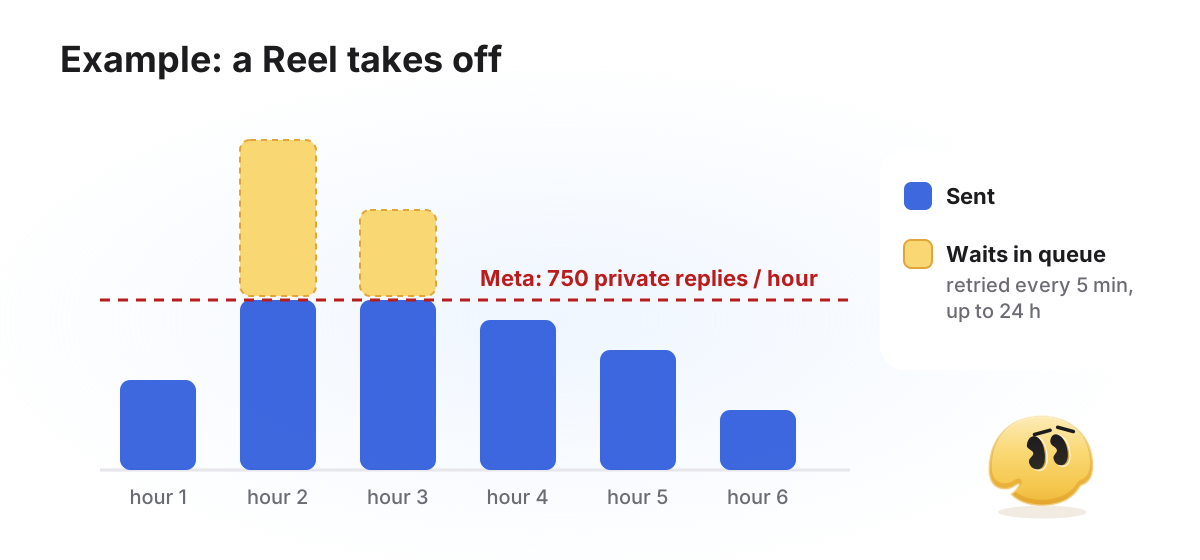
Meta's hourly limit. Meta publishes a limit of 750 private replies per hour for comments on posts and Reels, per professional account (Meta, Rate Limiting). In GetChat, a reply over the limit waits in a queue and is retried every 5 minutes; after 24 hours it is dropped rather than sent out of context. During a spike, some viewers get their DM later than usual.
The 7-day window. It counts from each comment, not from the day you posted. An older Reel that comes back to life still works, because every new comment starts its own 7 days. What matters is that the automation is running when the views arrive, because GetChat does not go back to comments left before the switch-on: bind it within minutes of posting, or have an all-posts automation with the Reel's keyword ready beforehand.
Repeat comments. When a DM is slow to arrive, some viewers comment the keyword again. Each new comment gets its own reply by default, so they may receive the first message twice. Turn on Only once (in the Extra step) on a Reel's own automation to send each person one reply. On an all-posts automation it would also stay silent for that person under your next Reels.
Your plan's allowance. Every tool caps something. On GetChat's Free plan it is 300 automated conversations a month. When they run out, no new conversation starts until the next month, and the public "check your DMs" reply is held back too, so your comment section never promises a message that is not coming. Pro ($12) and Growth ($29) with higher allowances are listed as coming soon on the pricing page.
How to measure each Reel
Comments tell you a Reel was seen; the numbers that matter come after. GetChat's Analytics shows four: DMs sent (people who entered an automation; these are runs, not confirmed deliveries), Leads collected (people who reached the main reply, past the follow check if you use one), Link clicks (first taps on a link button; one person tapping the same link twice counts once) and Click-through rate (link clicks divided by DMs sent).
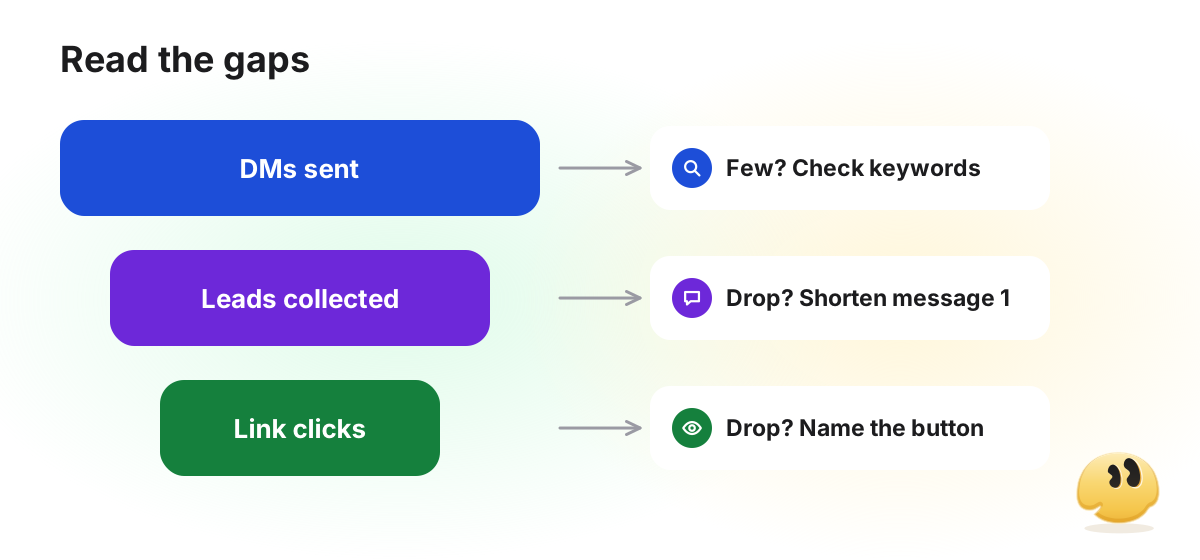
Read the gaps, not the totals. Few DMs while the comments keep coming means viewers are typing something your keywords do not match: read the comments and add their spellings. Many DMs but few leads means people are not tapping the first button, so cut the welcome message to one line and one action. Many leads but few clicks means the button label or the offer is unclear.
With one automation per Reel, the Automation performance table in Analytics shows DMs, clicks, click-through rate, leads and conversion for each video side by side, on the Free plan too. The UTM tags carry the story on to your site.
Frequently asked questions
How do I automatically DM a link on Instagram?
Connect a tool that uses Instagram's official API, set a comment trigger with a keyword, and put the link in the message after the first one. Because only one private reply is allowed per comment, the first DM carries a tap button, and the link buttons arrive after the tap.
Can the link go in the very first message?
Not in GetChat's wizard. The first message carries a tap button, and the link buttons go in the message after the tap. The tap is what allows a second message at all, and it is also what makes the follow check possible.
Do I need a separate automation for every Reel?
Only if the links differ. If every Reel points to the same page, one automation on All posts is enough. If each Reel has its own link, use one automation per Reel and different keywords.
Can I do this with Stories instead of Reels?
Yes, with a different trigger. In GetChat, Story reply runs when someone replies to one story or to any of them, and the automation answers in the DM with the same welcome message and link buttons. Story replies have no keyword filter, so every reply to that story starts it.
Can I set this up before the Reel is published?
Not on the Reel itself: the post picker lists only published posts. Either bind the automation right after posting, or create an all-posts automation in advance with a keyword you use only in this Reel.
Why is my comment-for-link not working?
Usually one of three things: the DM went to the viewer's message requests, the comment did not match your keyword (a typo or another word form), or you tested from your own account, which GetChat ignores. Test from a second account, then work through the auto-DM troubleshooting guide symptom by symptom.
Quick checklist before you post
- The automation is ready: an all-posts one with this Reel's keyword, or a Reel-bound one you will attach in the first minutes after posting.
- The keyword is on screen, spoken, in the caption's first line and in a pinned comment.
- The first message is one line and one button.
- The link is a button with UTM tags; a PDF is a link button to the hosted file, not an attachment.
- Once it is live, you comment from a second account and check the whole path, Requests folder included.
For everything else about comment-to-DM (public replies, the follow check, Meta's rules), see the complete guide to Instagram comment-to-DM automation.
Sources
Keep reading
Instagram comment-to-DM automation: the complete guide (with Meta's actual rules)
The whole comment-to-DM chain on one page: Meta's rules with sources, the setup, the viral-day limit and what not to automate.
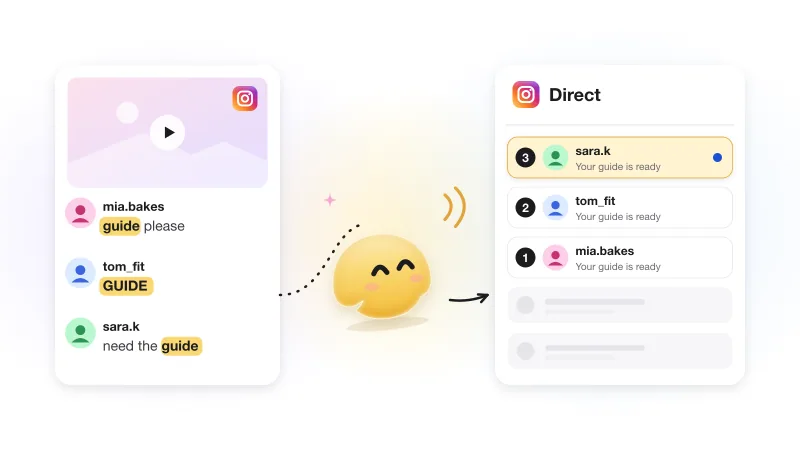
How to automatically DM everyone who comments on your Instagram post
One comment buys you one DM. What to put in it, why it needs a button, and what happens when nobody taps or the post is old.
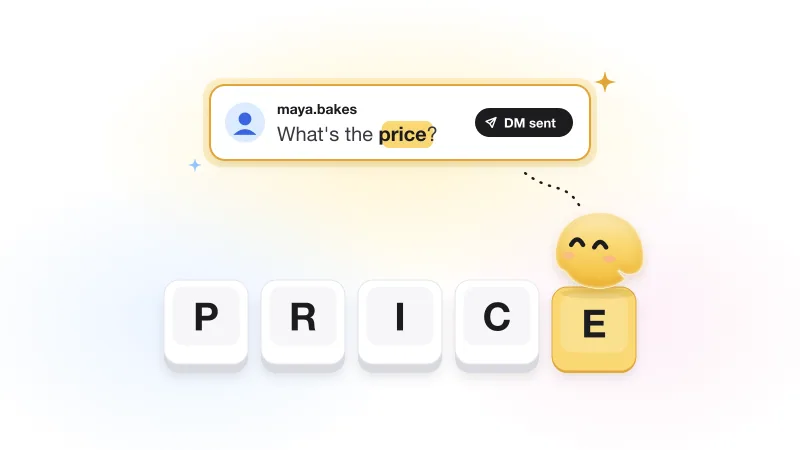
Instagram keyword automation: how to pick trigger words that actually fire
Why a keyword answers some commenters and ignores others, plus trigger-word ideas by niche that fire for the right people.