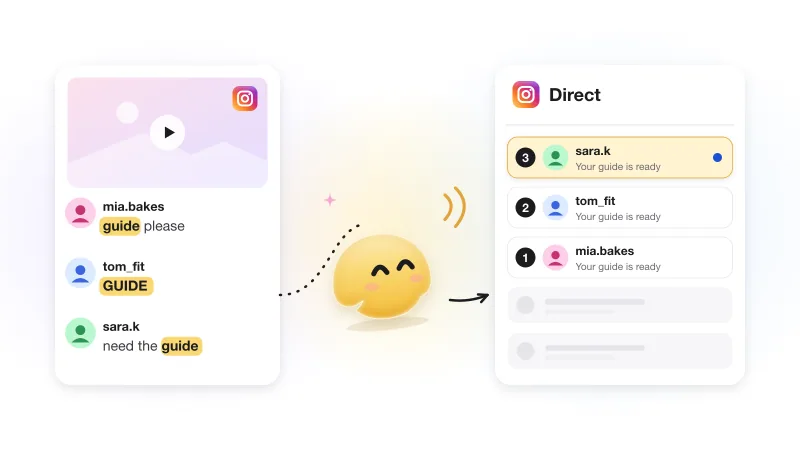
Instagram comment-to-DM automation: the complete guide (with Meta's actual rules)
Contents
Instagram comment-to-DM automation sends a private message to anyone who comments on your post or Reel, usually when the comment contains a keyword like price or link. It runs on Instagram's official messaging API, so it needs a Professional account and a tool connected through Instagram's own login.
This page is the map. It explains the whole chain once, lists Meta's rules with links to the documentation, and walks through the setup. Each step that deserves more depth (the first DM, keywords, Reels, follow gates, fixes) has its own guide, linked where it comes up.
Comment-to-DM vs a comment auto-reply
"Auto-reply to Instagram comments" means two different things. A public reply is posted under the comment for everyone to see. A private reply is a DM to the person who commented; Meta's API calls it exactly that. Comment-to-DM is about the private reply; the public one is optional and tells the thread that you answered.
Two kinds of automated response to a comment
| Public reply under the comment | Private reply (the DM) | |
|---|---|---|
| Who sees it | Everyone who opens the comments | Only the commenter |
| How many | One per comment is plenty | One message, until the person responds (Meta's rule) |
| What it can carry | Short text | Text and a button (Meta documents text; GetChat adds one tap button) |
| Job | Confirm the answer went out, say where to find it | Deliver what was asked for and start a conversation |
How the chain works, step by step
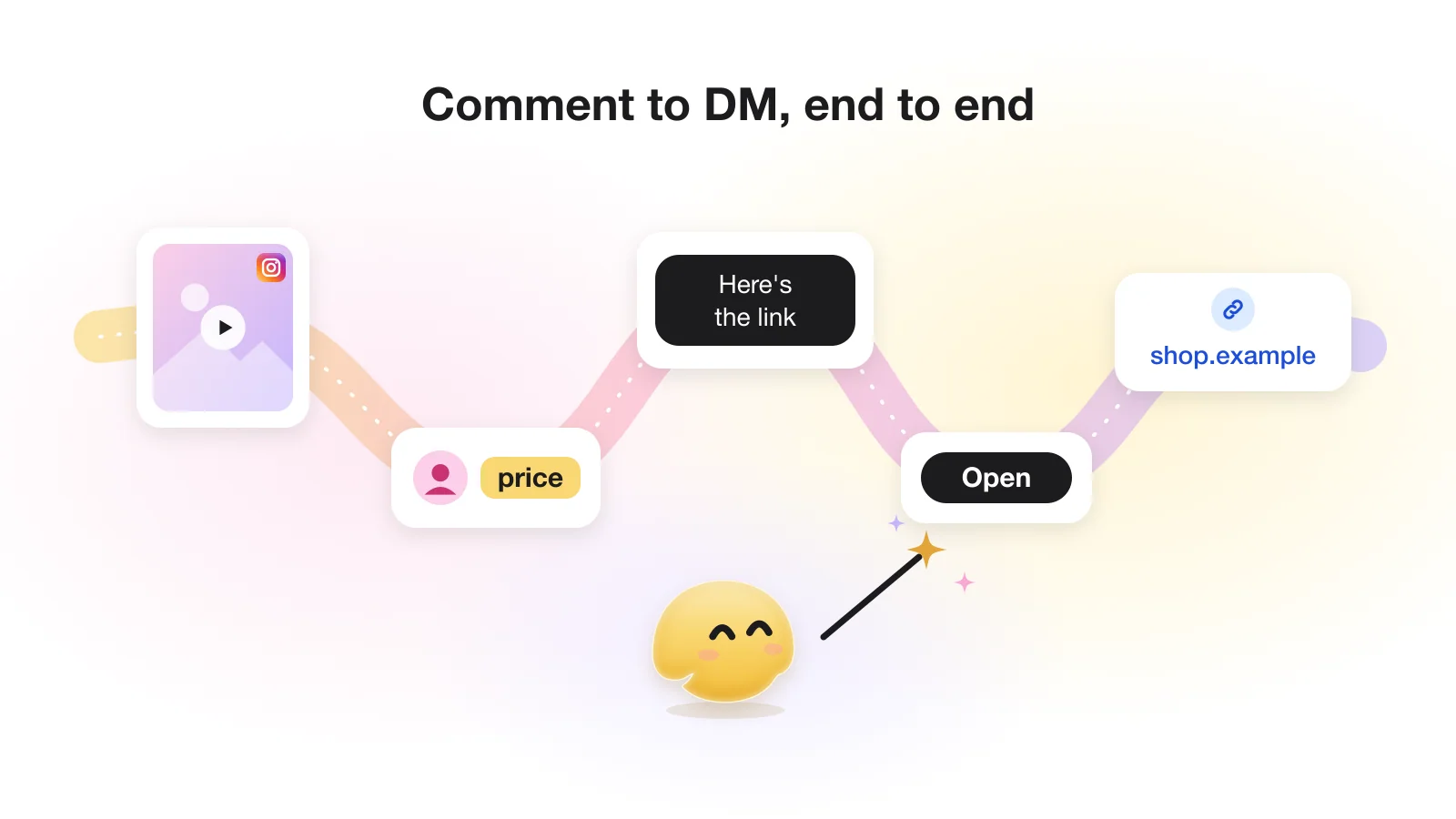
Meta notifies your tool about every new comment; the tool checks it against your conditions and replies. For one commenter:
- Comment. Someone comments on a post or Reel. The automation can watch one post or all of them.
- Match. The tool decides whether to act: on any comment, or only when the comment contains one of your keywords.
- Public reply (optional). A short line under the comment, such as "Sent you a DM."
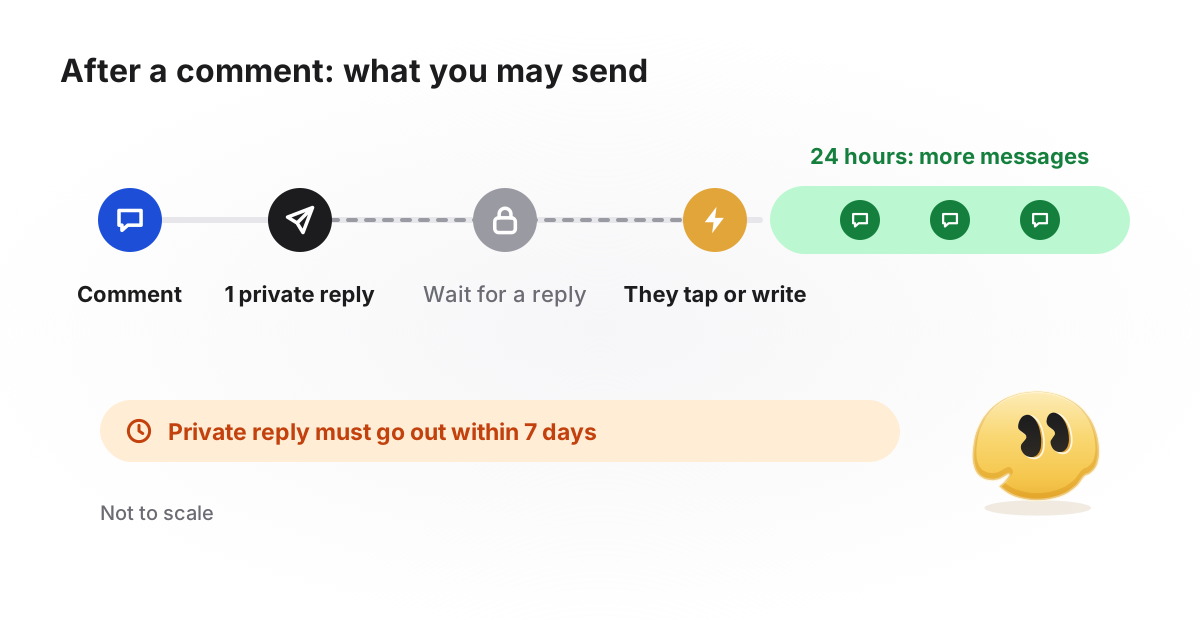
- Private reply. One DM with a short message and a button. Until the person reacts, this is the only DM you can send.
- Tap. The tap opens a 24-hour window and moves the automation on. A typed reply opens the window too, but you answer it by hand.
- Follow check (optional) and the main reply. The link, discount code or price list they asked for.
Why the first DM needs a button
Meta's private replies documentation allows one message to the commenter; anything more needs a response from them, and then only within 24 hours of it. A tap is the easiest response to get. The button in a first DM is usually a quick reply, which Meta delivers to the tool as a message (quick replies), so the tap opens the window and lets the tool ask Instagram whether the person follows you. Meta also notes that quick replies don't show on desktop, where people can only type; in GetChat a typed reply waits in your Instagram inbox for you to answer by hand.
- Commentprice?
- Public replySent you a DM. Not there? Check your message requests.
- DMHi! Want prices and sizes for this jacket? Tap below and I'll send the list. [Button: "Send prices"]
- DMAfter the tap: Here are prices, the size chart and delivery options. [Button: "Open the catalog"]
What that first message can hold, what happens when nobody taps and how old comments behave are covered in how the first DM after a comment works.
Meta's rules, with sources
Every comment-to-DM tool works inside the same limits, because they all use the same API. The rules below come from Meta's developer documentation, checked on October 19, 2026. Where a rule describes GetChat rather than Meta, the table says so.
Meta's rules for private replies to comments (checked Oct 19, 2026)
| Rule | What it means in practice | Source |
|---|---|---|
| One private reply per comment | Make the first DM useful and put a button in it | Private replies |
| Reply within 7 days of the comment | Turning automation on for an old post will not reach comments older than a week | Private replies |
| Live comments: only while the broadcast is live | After the Live ends, no private reply. GetChat does not answer Live comments at all; its trigger covers posts and Reels | Private replies |
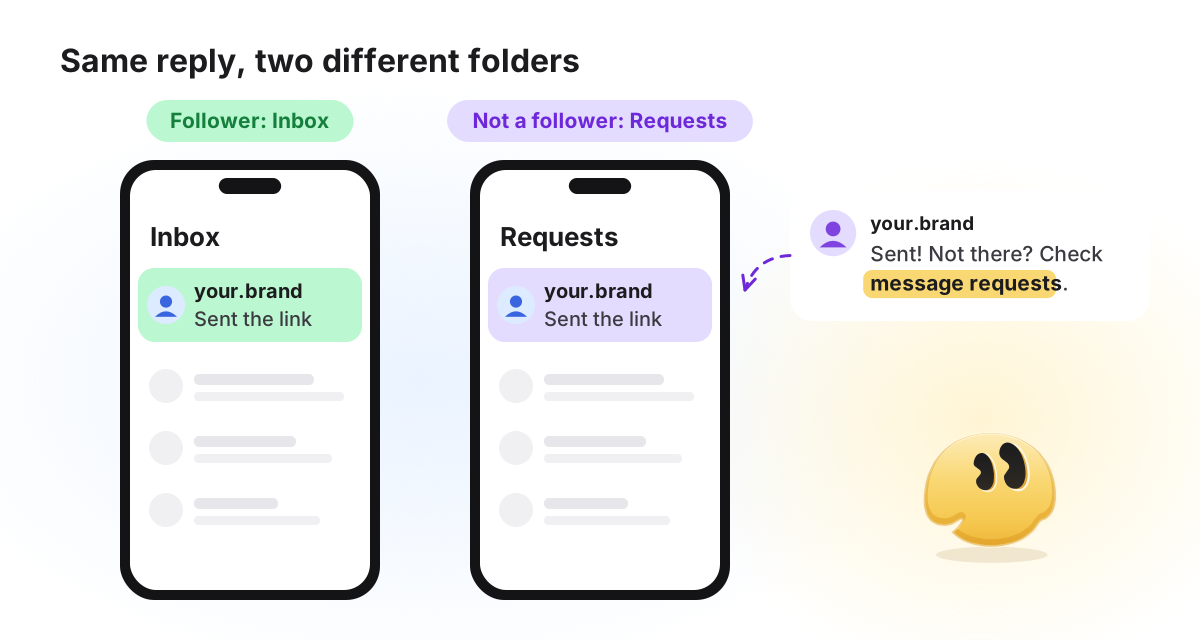
| Inbox for followers, Requests for everyone else | Tell people where to look in your public reply | Private replies |
| More messages only after a response, within 24 hours | The button in the first DM is what opens this window | Private replies, Messaging API |
| Message text up to 1,000 bytes | About 1,000 characters of plain English; far more than a DM needs | Messaging API |
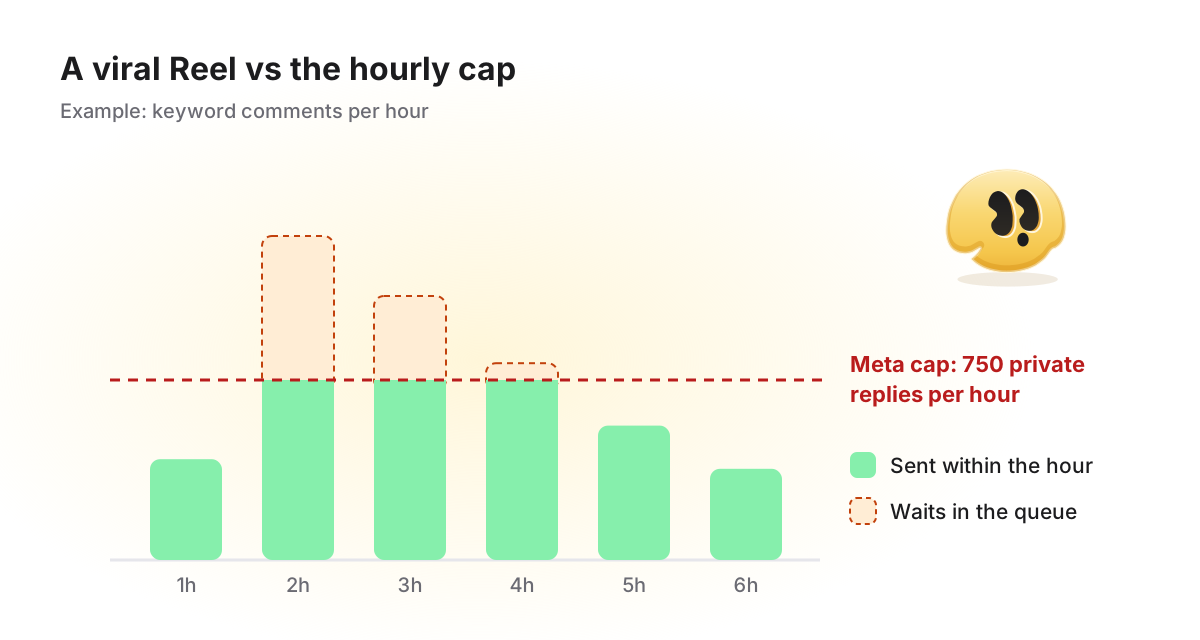
| 750 private replies per hour for post and Reel comments | A viral post will queue part of its replies | Rate limiting |
| Follow status needs the person's consent, set when they message you | A comment alone does not tell the tool whether someone follows you; a quick-reply tap arrives as a message | User profile API |
| Professional account (Business or Creator) | Personal accounts cannot connect; with Instagram Login no Facebook Page is needed | Instagram Platform overview |
The same rules also define what this kind of automation cannot do at all. It cannot message someone who never commented or wrote to you, and it cannot send one message to all your followers. Through the official API, every automated DM is an answer to something the person did.
Inbox or Requests: where the DM lands
Meta says the private reply goes to the person's Inbox if they follow you, and to the Requests folder if they do not. One line in the public reply, "Not there? Check your message requests", recovers conversations that would otherwise go unseen.
When the same person comments again
Meta's limit is one private reply per comment, not per person. A new comment is a new comment: it gets its own 7 days and its own private reply. So by default a person who comments your keyword three times gets three DMs.
Changing that is a tool setting, not a Meta rule. In GetChat the Only once toggle sends each person one reply per automation. Use it on an automation tied to one post: on an all-posts automation it also stays silent when the same person asks under a different post.
When a post goes viral: the 750-per-hour ceiling
Some popular vendor guides say Meta publishes no limit on automated replies. It does. Meta's rate limiting page lists private replies to post and Reel comments at 750 per hour per Instagram professional account. Private replies to Live comments have a separate, per-second limit.
Most posts never come close. It matters the day a Reel takes off, and the cap belongs to your account, not to the tool, so switching tools does not lift it. Planning a Reel around that day is covered in sending a link from Reel comments.
- Don't promise speed in the post. "I'll DM you the link" is safe. "You'll get it instantly" is not.
- Ask your tool what happens over the cap. Queue, drop or fail silently? In GetChat a reply over the limit is retried every 5 minutes for up to 24 hours, then dropped rather than sent out of context.
- Use a keyword, not "any comment", on posts you push hard. It keeps the queue for people who actually asked.
How to set up comment-to-DM automation
The logic is the same in almost every tool. Here are the steps, with GetChat as the worked example and screenshots of the real interface.
Switch to a Professional account
In Instagram settings, choose Business or Creator. Then turn on Allow access to messages under Connected tools.
Connect through Instagram's official login
A trustworthy tool opens Instagram's own login window and never asks for your password in its own form. GetChat connects through Instagram Login and does not see your password.
Pick the comment trigger
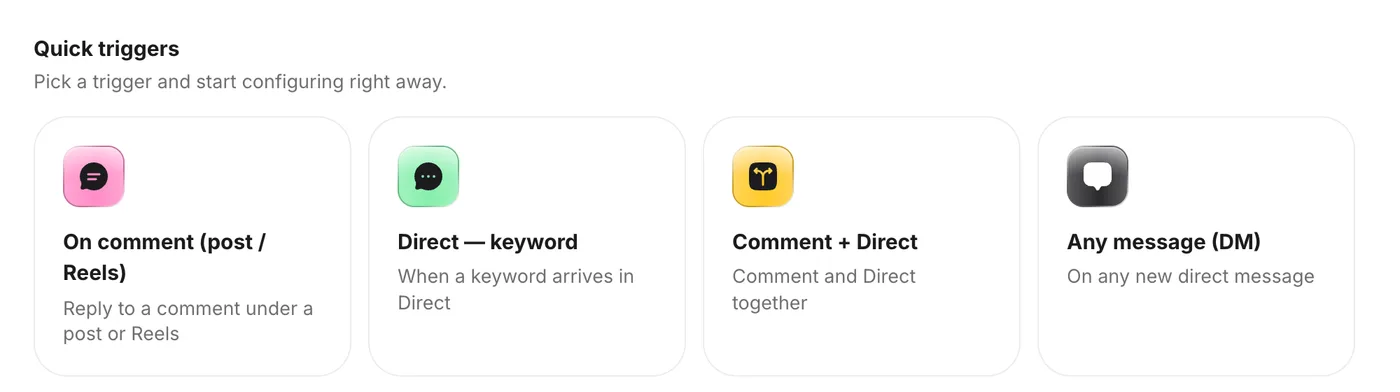
In GetChat: New automation → Quick triggers → On comment (post / Reels).
Choose the post and the match condition
One published post, or All posts. Then Any comment, or Comment with a keyword. An automation can be bound only to a post that is already live; for a post you haven't published yet, use All posts with a keyword nobody types by accident.
Write the messages
A welcome message with a button, an optional follow check, then the main reply with your link. Link buttons need an
https://address, up to three per reply.Add public replies under the comment
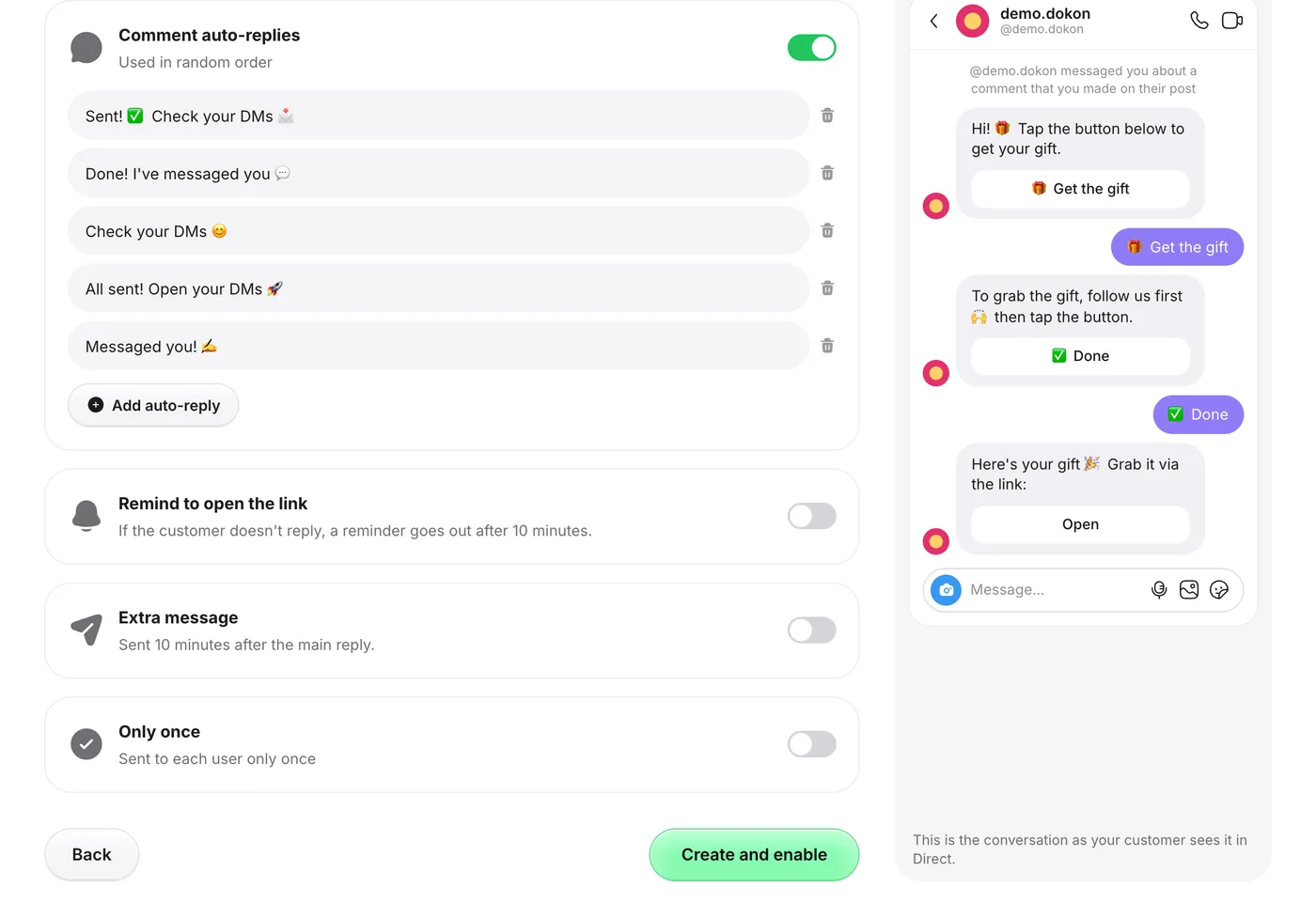
In the Extra step, open Comment auto-replies and write three to five variants. One is picked at random for each comment, so the thread does not look copy-pasted.
Enable it and test from a second account
Click Create and enable, then comment your keyword from another account, ideally one that does not follow you, so you also see the Requests path. GetChat ignores comments from the connected account itself, so a test from your own profile never fires.
Keywords decide who gets a reply. Which words fire reliably, and which hide inside other words, is covered in choosing trigger keywords.
The public reply and the first DM in brief
The public reply says where the answer is and mentions message requests, in three to five variants. The first DM answers the request in one line, with one button that names the action ("Get the prices", not "More info"). And say the message is automated: Meta recommends it, and some places require it by law (Meta's platform policy). Templates by goal and the character budget are in the guide to the first DM.
Follow gates: when to use one
"Follow to get the link" can only check after the first tap, because Instagram reveals follow status only once the person has messaged you. Gates suit giveaways and free guides and mostly get in the way of a "how much is it?" comment. The mechanics and the unknown-status case are in adding a follow gate.
What not to automate
With "any comment" or a broad keyword, the bot will reply "Sent you a DM" under "still waiting for my order after three weeks", which is worse than silence.
- Check what else your keyword catches.
pricealso fires on "price is way too high". Exact match or a word people only write when asked fixes most of it. - Turn the public reply off on sensitive posts. The DM still goes out, and nobody else sees it.
- Leave complaints, refunds and disputes to a person. Automation does not moderate comments, and the answer should come from you.
When the DM doesn't arrive
Three causes cover most reports: the test came from your own account (GetChat ignores it), the DM sits in the person's Requests folder, or the person never tapped, so no second message was allowed. Everything else, symptom by symptom, is in fixing an automation that stopped sending.
Choosing a comment-to-DM tool
Check three things first: the tool connects through Instagram's official login, the follow check is on the plan you will use, and you know what its plan counts (contacts, DMs or conversations). The free plans are compared in one unit in free comment-to-DM tools compared. If you are leaving Manychat, how to choose a Manychat alternative covers billing units and switching without double DMs, and our sourced tool comparisons go through 38 tools one by one.
Frequently asked questions
Will comment-to-DM automation get my account banned?
Private replies are a documented feature of Meta's official API, built for this use, with published rules: one private reply per comment, a 7-day window and an hourly cap. The risk comes from tools that log in with your password, from DMing people who never interacted, and from pushy copy. Use a tool that connects through Instagram's own login, answer only people who commented or wrote, and say the message is automated. No tool can promise more than that.
What is the difference between a comment auto-reply and comment-to-DM?
A comment auto-reply is posted publicly under the comment; comment-to-DM sends a private message to the commenter. Most setups use both.
How many automated DMs can I send per hour?
Meta lists 750 private replies per hour per professional account for post and Reel comments. Your tool's plan may add its own monthly limit on top.
Does it work on Reels and Live?
On Reels it works the same as on posts. GetChat does not answer Live comments; Meta allows private replies to them only while the broadcast is live.
Do I need a Facebook Page or a developer?
Neither, if the tool uses Instagram Login: Meta's overview lists a Facebook Page as not required for that route. You need a Professional (Business or Creator) account, and the setup itself is a form, not code.
Sources
- Meta for Developers — Private replies
- Meta for Developers — Messaging API (Instagram Login)
- Meta for Developers — Quick replies (not available on desktop)
- Meta for Developers — Rate limiting (Messenger Platform)
- Meta for Developers — User profile API
- Meta for Developers — Instagram Platform overview
- Meta for Developers — Platform policy overview
- Meta: enable connected tools (Allow access to messages)