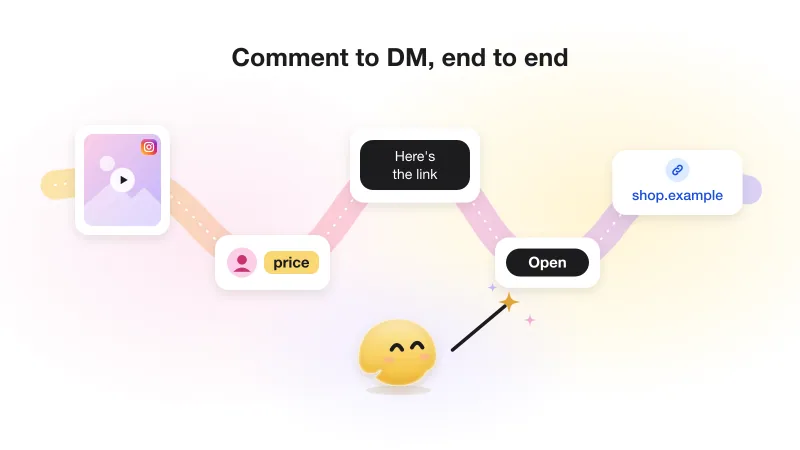
How to automatically DM everyone who comments on your Instagram post
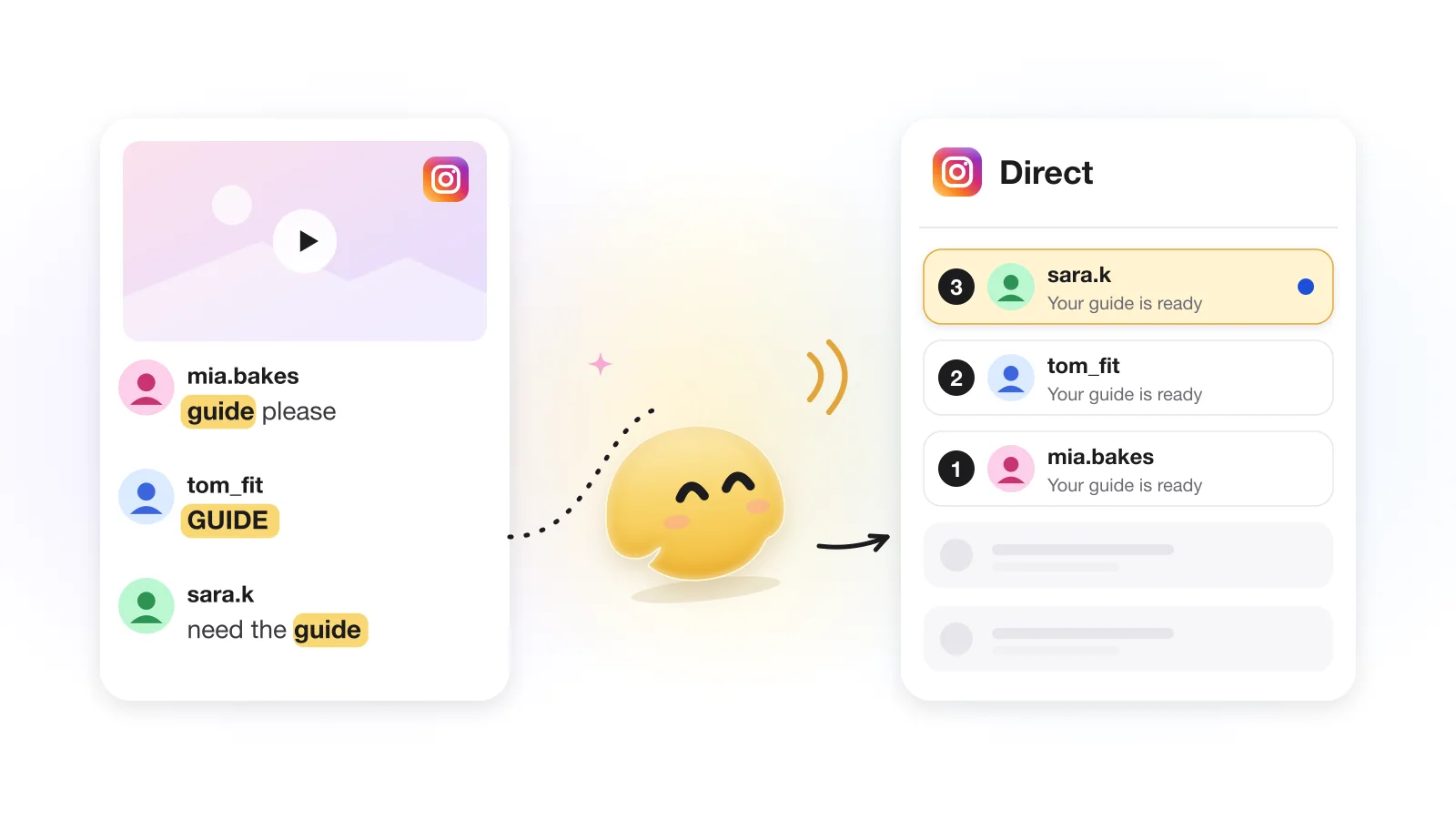
Contents
To automatically DM someone who comments on your Instagram post, you connect a professional account to an automation tool that uses Meta's official API and set a comment trigger. When a comment arrives, the tool sends the commenter a private reply: one DM per comment, within 7 days of it. Everything after that first message depends on the person replying, which is why the first DM almost always carries a button.
So the real question is not how to send the DM but what that single message has to do. This article follows one private reply from the comment to the conversation: what it can hold, why it needs a button, what happens when nobody taps, and why old posts stay quiet. For the wider picture (use cases, tool choice, the full rules), start with the complete comment-to-DM guide.
What happens between the comment and the DM
An automation tool does not open a fresh chat with the commenter. It answers the comment itself through the API, and Instagram delivers that answer to the person's Direct messages. Meta calls this a private reply, and it comes with rules that no tool can change.
Someone comments
Instagram notifies the connected tool about the new comment on your post or Reel.
The tool checks the trigger
Is this the right post? Does the comment contain one of your keywords, or does any comment count? If not, nothing is sent.
One private reply goes out
The tool sends a single DM linked to that comment. It lands in the person's inbox or in their message requests (more on that below).
The person taps the button
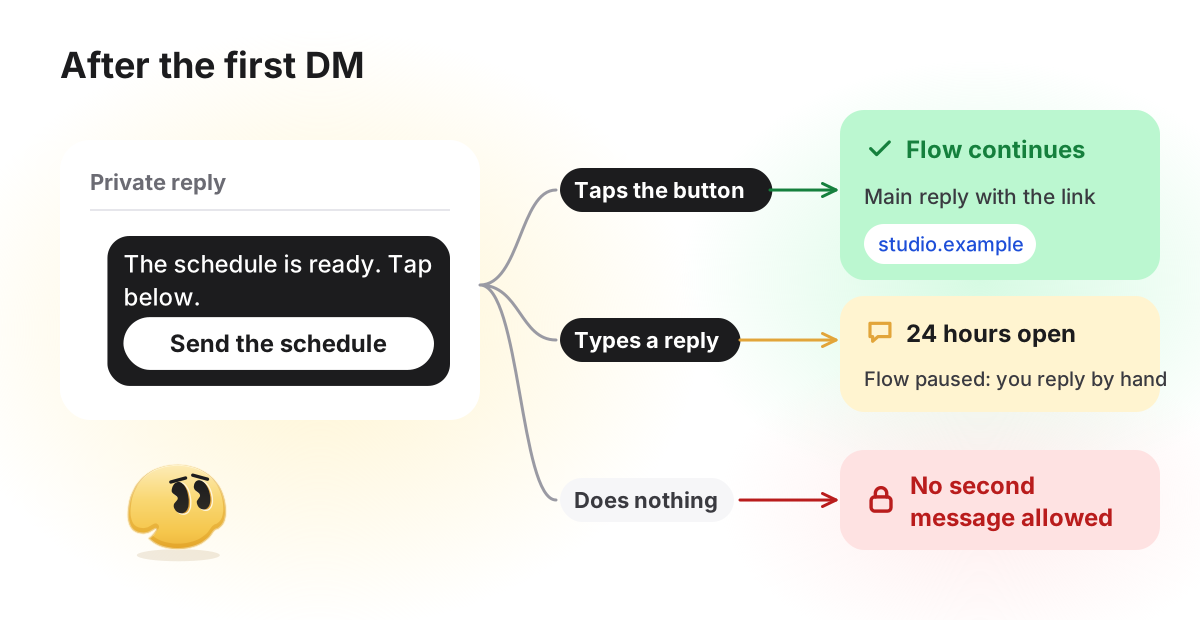
Only the tap moves the automation on to the schedule, the menu or the link. A typed reply opens Instagram's 24-hour window but leaves the answer to you. Without either, the first DM is also the last.
Behind those four steps sit Meta's rules: one message per comment, sent within 7 days of it, and anything further only after the person responds. The full list with sources is in Meta's rules, with sources. One detail trips people up: a comment does not open the usual 24-hour messaging window, because Meta's Messaging API counts 24 hours from a message from the user, and a comment is not a message. The window opens when the person taps a button in your DM or writes to you.
What the first DM can contain
Meta caps message text at 1,000 bytes in UTF-8 (Messaging API). In plain English text that is about 1,000 characters, far more than anyone reads in a DM. Aim for two or three short sentences: why you are writing (they commented), what is waiting for them, and one thing to tap.
Tools differ in what they let you attach. In GetChat, the private reply carries text and buttons only; that is GetChat's rule (Meta documents text for private replies), and a photo or video goes in the next message, after the person taps. GetChat attaches images and video only, not PDFs or other documents; a document goes behind a link button. The welcome message holds up to 500 characters (474 on the Free plan, which keeps room for the short "powered by GetChat.io" line added to every message) and one tap button. The button label is capped at 20 characters, so make it an action: "Send the schedule", "Show me the menu".
Why the first DM needs a button
A plain first message ("Thanks, we'll send everything soon") leaves the person nothing to do, so most people read it and move on. Under Meta's rules you then cannot send anything else, because a follow-up requires a response from the recipient.
A button turns that response into one tap. In GetChat the welcome button is a quick reply, and Meta delivers a quick-reply tap to the tool as a message (quick replies), so it counts as a response and opens 24 hours in which the real content can follow. Tapping is also easier than typing an answer.
Two limits to know. Meta says quick replies are not available on desktop, so a person reading your DM on a computer sees no button and can only type. A typed reply opens the 24-hour window, but the automation does not continue on it: it waits in your Instagram inbox for you to answer by hand. And the tap matters for the follow check: Instagram tells a business whether someone follows it (the is_user_follow_business field) only after that person has messaged the account. A comment does not count, so any "follow to get it" flow starts with a tap; here is why a button comes before the follow check.
If the thing you are sending is a link (a guide, a product page, a sign-up form), the button-then-link pattern, UTM tags and PDF lead magnets are covered in sending a link in a DM after a comment.
What happens if nobody taps
Nothing more is sent; that is how the rules work. The private reply stays in the person's inbox or requests. A late tap still works: if they tap the button the next day, the conversation picks up from there, because the tap itself is a new message and opens a fresh 24-hour window. If they never tap, the thread ends with your first DM.
This is why follow-up "reminder" messages in automation tools reach only people who already responded. In GetChat, the delayed reminders ("Remind to open the link") are scheduled only after the person taps through to the main reply, they are cancelled if the person writes back, and they are available on Pro and Growth only. Those plans are listed as coming soon and cannot be bought yet, so on Free today your only lever is a first DM worth tapping.
If you get few taps, rewrite the button first. "OK" or "Next" gives no reason to tap; "Send the schedule" does. Then check that the DM clearly matches what the post promised.
First DMs by goal: five starting points
Each of these follows the same three beats: why you are writing, what is waiting, one thing to tap. They are illustrative starting points, not tested winners; swap in your own offer, and keep the keyword one people would not type by accident (choosing keywords). Each message fits GetChat's 474-character Free budget with room to spare, and each button fits the 20-character label limit.
First private reply by goal (examples to adapt)
| Goal and keyword | First DM | Button |
|---|---|---|
Free download: checklist | Hi! You asked for the moving-day checklist from my post. Tap below and I'll send it here. (Automated message) | Send the checklist |
Product details: size (also catches "sizes") | Hi! Thanks for asking about the linen dress. Tap below for the size chart and the product page. (Automated message) | Show me sizes |
Appointment: booking | Hi! Looking for a balayage appointment? Tap below and I'll send this week's open times. (Automated message) | See open times |
Event sign-up: webinar | Hi! The free webinar is next Thursday evening. Tap below and I'll send the sign-up page. (Automated message) | Save my seat |
Discount: discount | Hi! Your welcome discount is ready. Tap below and I'll send the code with a link to the shop. (Automated message) | Send my code |
Notice what none of them do: no link in the first message, no list of options, no "Reply YES" instruction. A typed YES would open Meta's window but not move the automation on, so the button is the instruction.
Inbox or Requests: why some people never see it
Meta's documentation is plain about it: the private reply arrives in the recipient's inbox if they follow your account, and in the message requests folder if they don't. Requests are easy to miss, and that alone can make a campaign look like it is failing.
The fix costs nothing: a short public reply under the comment that points to the DM. GetChat's Comment auto-replies (in the Extra step) are optional and pick one of your variants at random for each comment. If your plan's monthly conversations run out, GetChat holds back the public reply as well, so it never promises a DM that will not come.
- Commentschedule pls
- Public replySent you a DM. Not following us yet? Check your message requests.
- DMHi, you asked about the new evening classes. The full schedule is ready, tap below and I'll send it. (Automated message) [Button: "Send the schedule"]
- DMAfter the tap: Here are this month's classes and prices. Reply here to save a spot. [Button: "Open the schedule"]
Turning on automation for an old post
A common plan: a post from last month is still collecting comments, so you switch on automation and expect everyone to get a DM. Two things limit that.
- Comments older than 7 days are closed for private replies. Instagram refuses a private reply to a comment that is more than 7 days old or already answered, and a deleted comment is refused the same way. No tool can work around it.
- Automations react to new comments. A tool learns about a comment when Instagram notifies it. GetChat answers comments that arrive after the automation is on; it does not go back through earlier ones. Even a tool that did could reach only comments younger than 7 days.
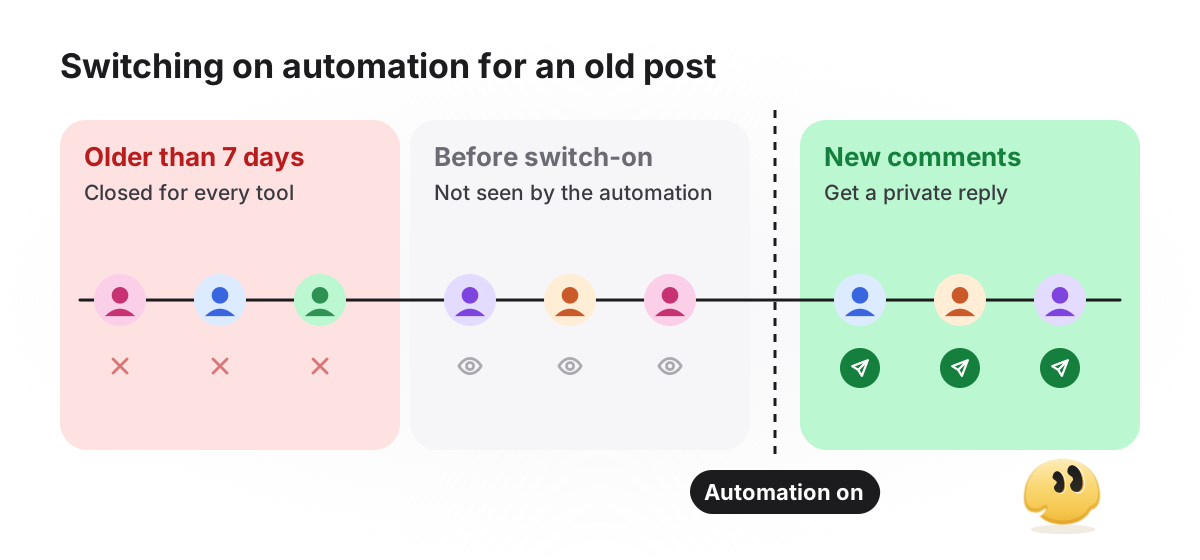
The practical fix is to give the old post a fresh reason to comment. Reply to a few recent comments by hand, mention the keyword in a new Story, or pin a comment that says, for example, "Comment SCHEDULE and we'll DM it to you." New comments then go through the automation as usual.
Where the private reply lives in GetChat
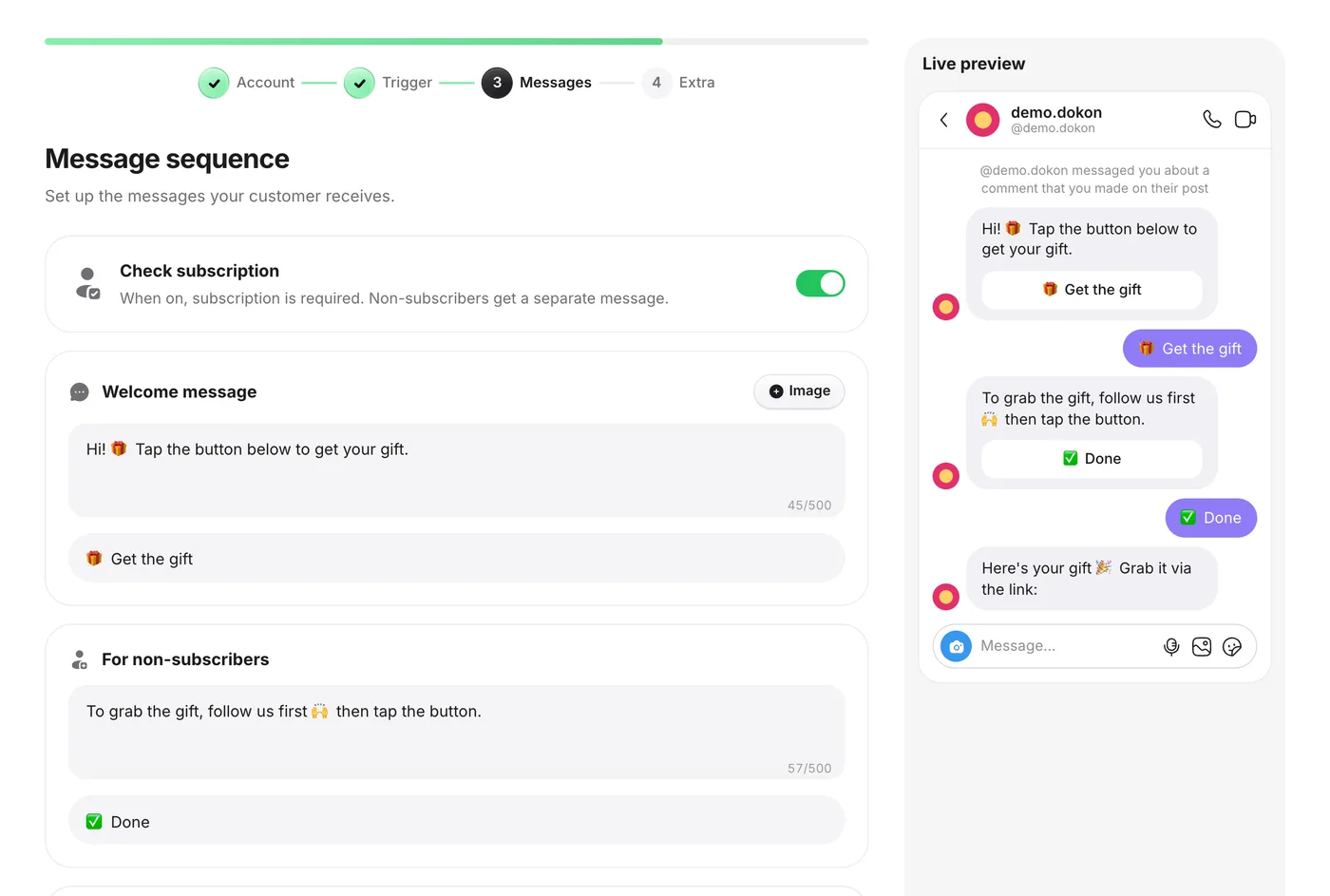
The full setup, from connecting the account to switching the automation on, is in the complete comment-to-DM guide. For the private reply, one screen matters: the Messages step. The Welcome message and its single tap button are the private reply. The Main reply goes out only after the tap and carries the link buttons (up to three, each starting with https://). If you switch on Check subscription, a For non-subscribers message sits between the two.
What a private reply cannot do
Some things are not possible through the official API, whatever a tool's landing page suggests:
- DM people who never commented or wrote to you, including your whole follower list.
- Send a second message to someone who did not tap or reply.
- Arrive at a guaranteed moment. Meta caps private replies per hour (the numbers); in GetChat a reply over the cap waits in a queue for up to 24 hours, and DMs sent in Analytics counts automation runs, not confirmed deliveries.
If the DM should have gone out but didn't, the cause is usually one of the rules above, or the "Allow access to messages" switch in Instagram's message settings being off (Meta setup guide). Work through it with DM not delivered? diagnose by symptom.
Frequently asked questions
Does Instagram have automated DMs?
Automated replies to comments run through Meta's official messaging API: you connect a professional account to a tool, and the tool sends private replies on your behalf within Meta's rules (one DM per comment, within 7 days).
Will the automation DM people who commented before I turned it on?
No. GetChat answers comments that arrive after the automation is switched on and does not go back through older ones, and Instagram refuses any private reply to a comment more than 7 days old. To reach those people, ask them to comment again, for example with a pinned comment that names the keyword.
How many DMs can I send automatically per day?
Meta publishes an hourly limit, not a daily one: 750 private replies per hour per account for post and Reel comments. Daily figures you see in tool guides are those tools' own recommendations.
Can the first DM include a photo or a PDF?
Not in GetChat: the private reply carries text and buttons only. A photo or video can go in the main reply after the tap. GetChat cannot attach PDFs or other documents at all, so host the file and send a link button to it.
What if someone reads the DM on a computer?
Meta says quick-reply buttons are not shown on desktop, so they see the text without the button and can only type. A typed reply opens the 24-hour window but does not move the automation on; it lands in your Instagram inbox for you to answer by hand. Most people open DMs on their phone, where the button works.
How do I see who received the DM?
In GetChat, open Analytics → Activity log. It lists the recent automated DMs: each person, the automation that answered them, when, and whether they went on to the main reply (marked as a lead). Like DMs sent, it records that the automation ran, not that Instagram delivered the message. The Activity log is on the Free plan too.
Sources
- Meta for Developers — Private replies (Instagram Platform)
- Meta for Developers — Instagram Messaging API (Instagram Login)
- Meta for Developers — Quick replies (not available on desktop)
- Meta for Developers — User Profile API (is_user_follow_business)
- Meta for Developers — Messenger Platform policy overview
- Meta: enable connected tools (Allow access to messages)