Instagram follow gate: how "follow to get the link" works (and when not to use it)
Contents
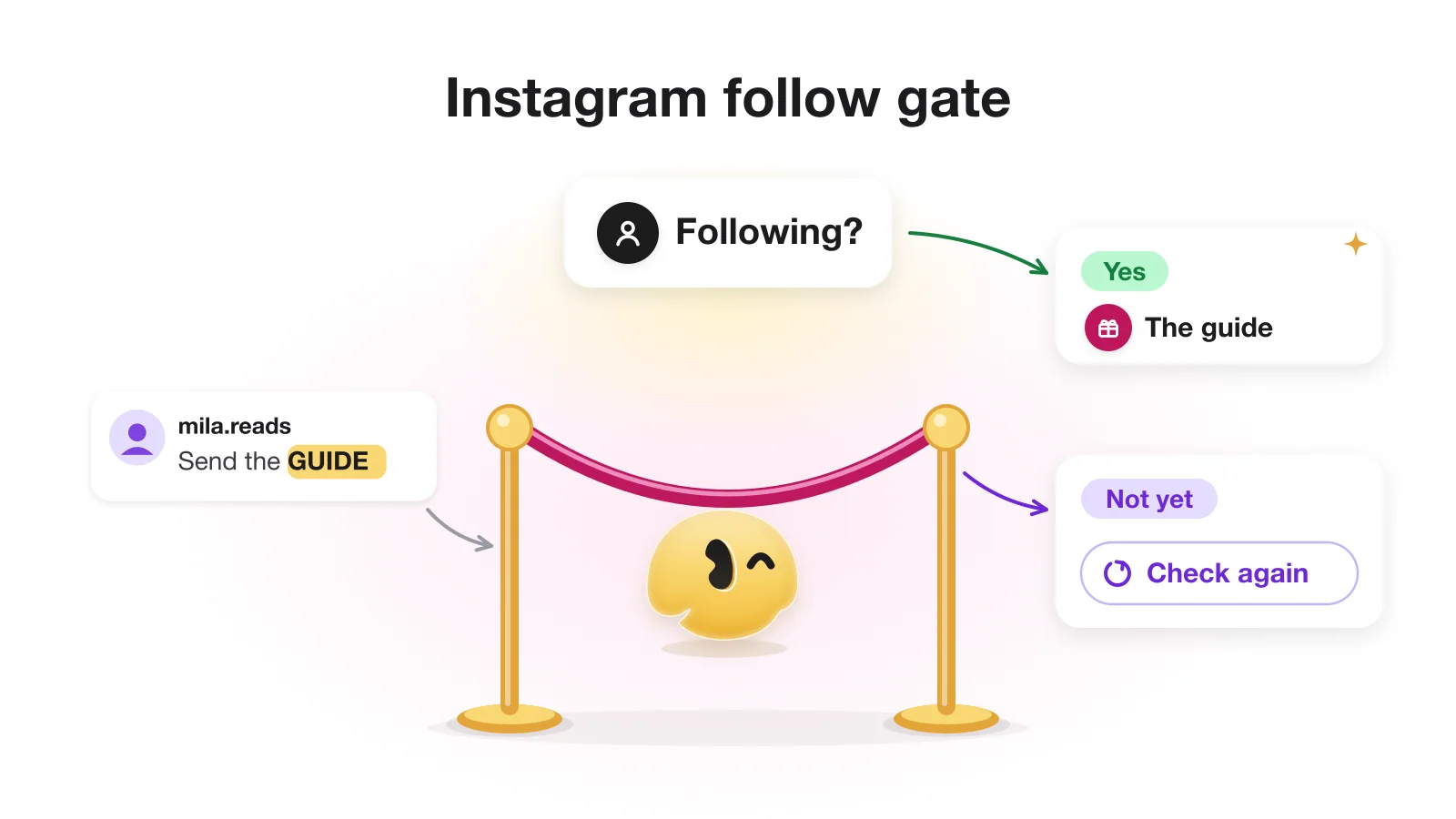
An Instagram follow gate sends your freebie or link only to people who follow you. Someone comments a keyword, gets a DM with a button, taps it, and only then can the tool ask Instagram whether they follow you. Followers get the link; everyone else gets a "follow us, then tap again" message.
That short description hides three details most guides skip: why the button is not optional, what happens when Instagram gives no answer, and why the people you most want to convert are the likeliest to miss your first message. This article covers all three. If you have not set up a comment automation yet, start with the full comment-to-DM setup; the gate is one extra step on top of it.
What a follow gate is, and what it is not
A follow gate is a condition inside a DM conversation: before the main reply goes out, the tool checks one field Instagram exposes to messaging apps and branches on it. It does not follow anyone, unfollow anyone or read your follower list. It answers a single question about a single person who is already talking to you.
That sets it apart from two things that show up when you search for "follow check": follower trackers that tell you who unfollowed you, and growth bots that follow and unfollow accounts in bulk to farm follow-backs. Both work on your follower graph. A follow gate works inside one conversation, through the messaging API, and only after the person has replied to you.
Why the gate needs a button first
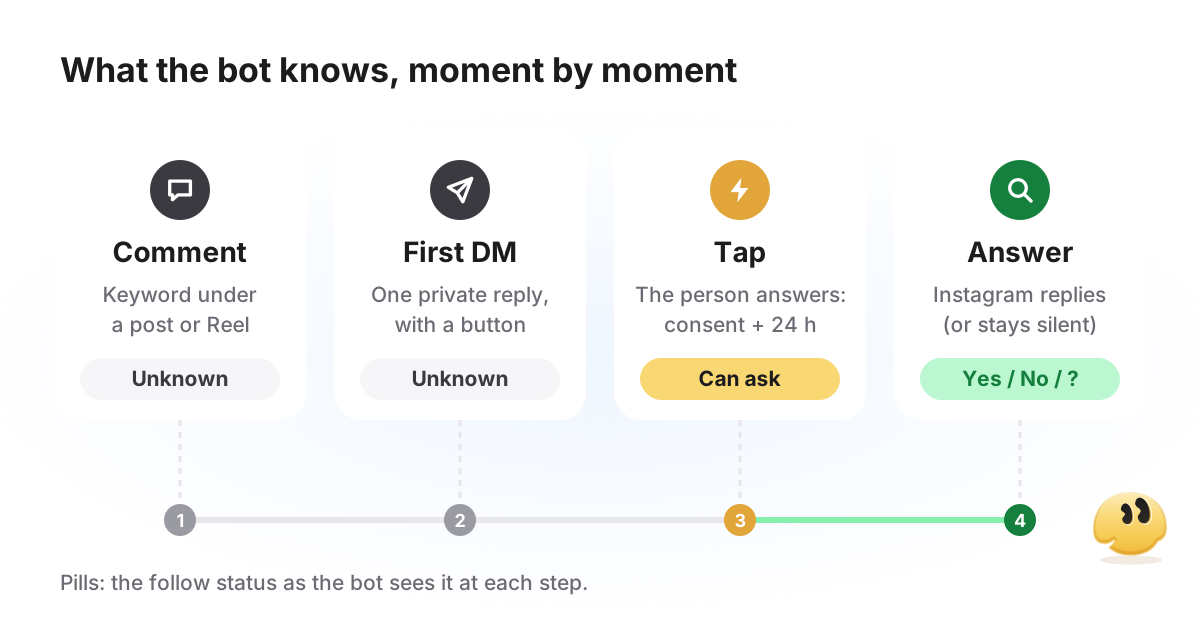
Instagram reports follow status through a field called is_user_follow_business in the user profile API. Meta's documentation describes it as whether the person follows your account. The catch is access: a profile, and with it the follow status, can be read only after the person has given consent, and consent is set when they send your account a message or tap an icebreaker or a persistent menu item. Meta says a comment alone does not grant it, and information about people who blocked you is never visible.
Now add the private reply rules: one private reply per comment, and nothing more until the person responds (Meta: private replies). So the first DM is the only message you can send, and at that point the tool cannot check anything yet.
Put those together and every compliant follow gate has the same shape: the first DM promises the reward and carries a button. The tap is the person's response. It opens the 24-hour window for the next messages and gives the consent the profile lookup needs. Only then does the tool ask Instagram. For what that first message can and cannot contain, see what the first DM can contain.
Following, not following, unknown
When the tool asks, there are three possible outcomes, not two: Instagram says the person follows you, says they don't, or returns nothing usable (consent hasn't registered yet, the request failed, or the field is simply missing). The third case is where tools differ, and it is the one worth asking a vendor about before you pick one.
How GetChat handles each answer
| Instagram says | Where the person goes | What they receive |
|---|---|---|
| Following | Main reply | The link or code you promised |
| Not following | For non-subscribers | A request to follow and a button that checks again |
| No answer | Same as not following | The same non-subscriber message and the same button |
GetChat does not hand out the reward on trust when Instagram is silent. The upside: a follower-only bonus doesn't leak to non-followers. The downside: a real follower whose status Instagram did not report gets asked to follow an account they already follow, and tapping again does not always fix it. That is why the non-subscriber message has to make sense to a follower too (more on that below).
Other tools make their own choices. ChatPlace's (Russian-language) blog says that when Instagram returns no status, the person is treated as not following for 24 hours. CreatorFlow's pricing page lists its follow gate on paid plans only, not on Free (both checked October 20, 2026). Whatever you use, ask support two questions: what happens when Instagram sends no status, and can a person re-check right after following.
- CommentGUIDE
- Public replySent it to your DMs. Not following yet? Check your message requests.
- DMHi! Your capsule-wardrobe guide is ready. Tap below to get it. [Button: "Get the guide"]
- DMAfter the tap (Instagram says "not following"): To grab the guide, follow us first, then tap the button. Already following? Just tap it. [Button: "Done"]
- DMAfter they follow and tap Done (Instagram now says "following"): Here's your guide. [Button: "Open the guide"]
How to set up a follow gate in GetChat
Start a comment automation
Click New automation and, under Quick triggers, pick On comment (post / Reels).
Choose the post and the keyword
On the Account step, under Which post?, pick one post or All posts. On the Trigger step choose Comment with a keyword and add your words (how to pick them).
Turn on Check subscription
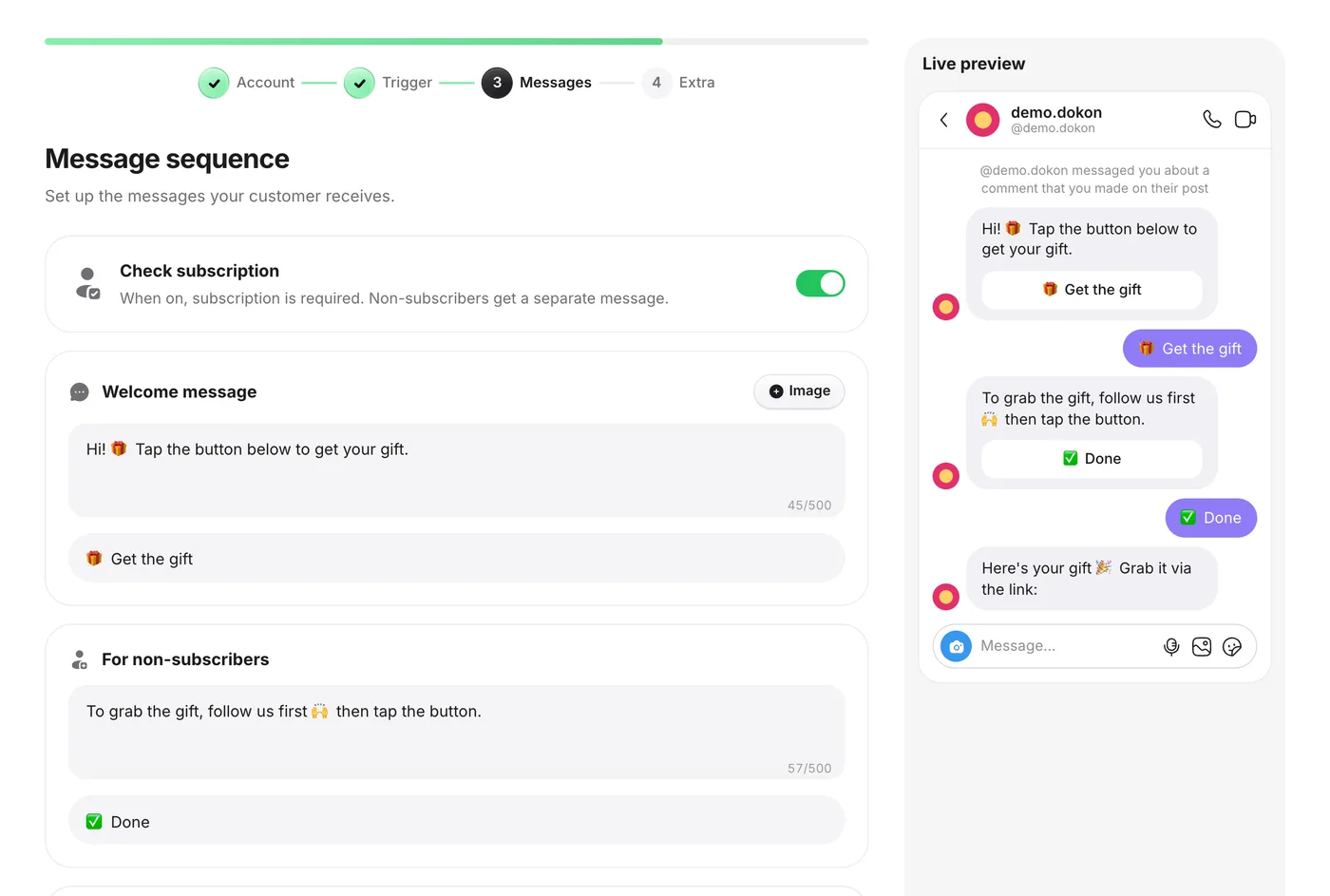
On the Messages step switch on Check subscription. Keep the button in the Welcome message: without a tap there is nothing to check.
Write the For non-subscribers message
Ask the person to follow and tap. The button on this message (labeled Done in the screenshot below) asks Instagram again and moves the person on if they now follow.
Fill in the main reply
This is what followers get: a link or a code, with up to three link buttons. A PDF goes behind a link button; GetChat cannot attach documents.
Enable it and test both branches
On the Extra step click Create and enable. Comment from a second account that does not follow you, tap through to the end, then follow and tap Done again.
Writing the message for non-followers
Because "no answer" lands in the same branch as "not following", some of the people reading this message already follow you. Write it for both audiences.
- Do not accuse. "You're not following us" is wrong for some readers. "Follow us, then tap Done. Already following? Just tap Done" is right for all of them.
- One action per message: follow, then tap. A link to another post here sends people away from the button, and many do not come back.
- Offer a way out: "If the button doesn't work, reply GUIDE here." A typed reply opens Meta's 24-hour window but does not move the automation on, so it waits in your Instagram inbox for you to answer by hand. For people on a computer it is the only route: Meta notes that quick-reply buttons like Done are not available on desktop.
- Two short lines and a button. A paragraph of conditions reads like terms and conditions, and people skim past the one thing you need them to do.
When the same person comes back
Follow gates attract repeat visitors: someone gets the guide, follows you, and comments on your next post too. What they receive depends on the setup.
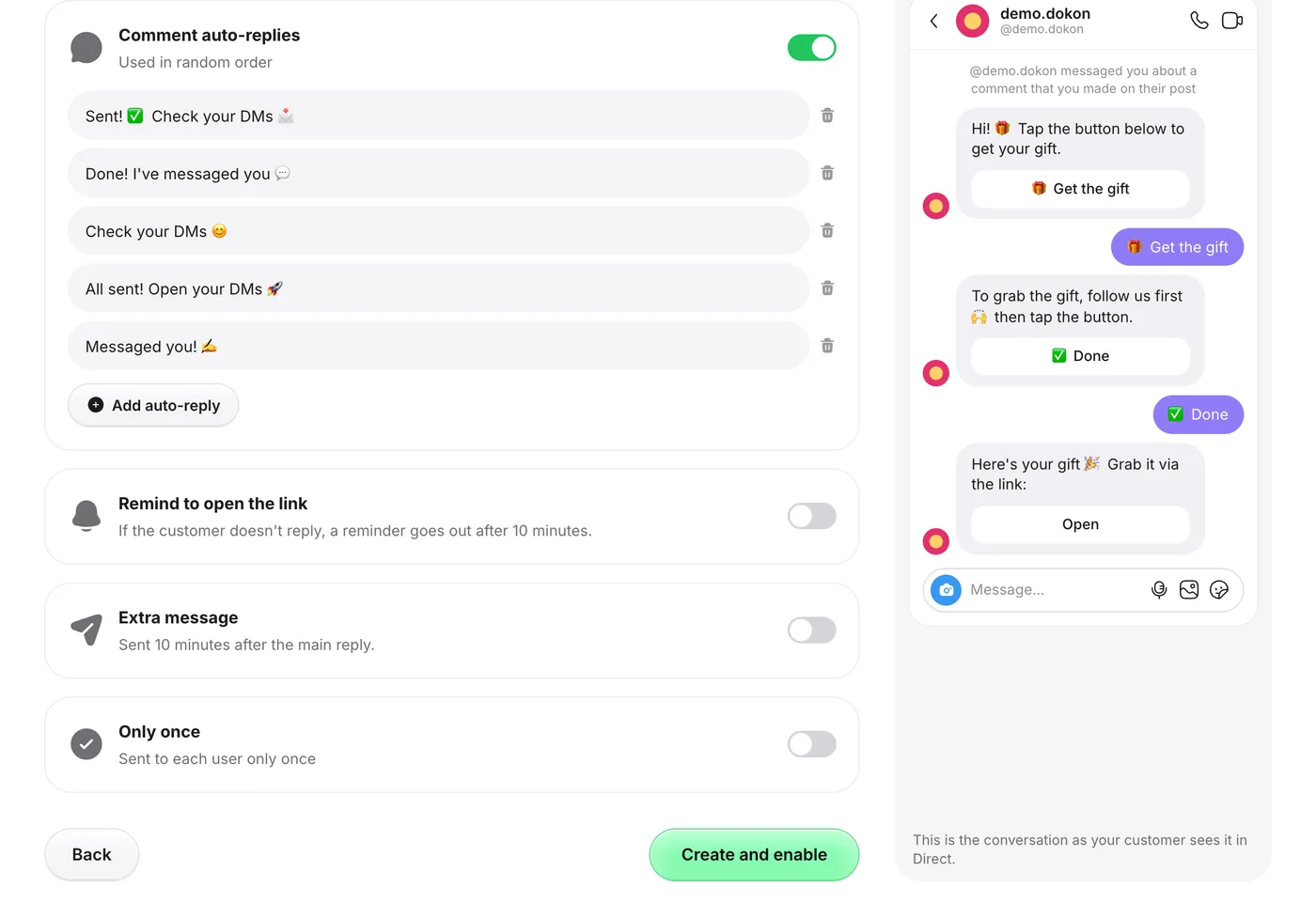
- Same automation, Only once off (the default). Every new matching comment gets its own private reply, so they get the first DM again. After the tap, if Instagram confirms they follow you, they skip the non-follower message and get the main reply straight away. As a follower, their DM now lands in the main inbox instead of Requests.
- Same automation, Only once on. GetChat skips anyone this automation has already answered. If another automation matches the comment, that one replies; if none does, the person gets nothing. That suits a reward meant to be claimed once, but say "one per person" in the caption, or a silent bot looks broken.
- A different gated post. Each automation runs its own gate. A follower still gets the first DM with a button first (the one-reply rule does not change), but the check after the tap passes and the reward follows immediately.
On an all-posts automation, Only once applies across every post it covers, so a follower who claimed one reward would hear nothing under your next giveaway. Give each gated offer its own automation if you use the toggle.
The trade-off: when a follow gate costs you
A gate is one more step between the person and what they came for, and every extra step loses someone. Here the step falls on people whose first DM already sits in Requests. That is a fair price for a lead magnet meant to grow the account, and a bad one when the person is asking what something costs.
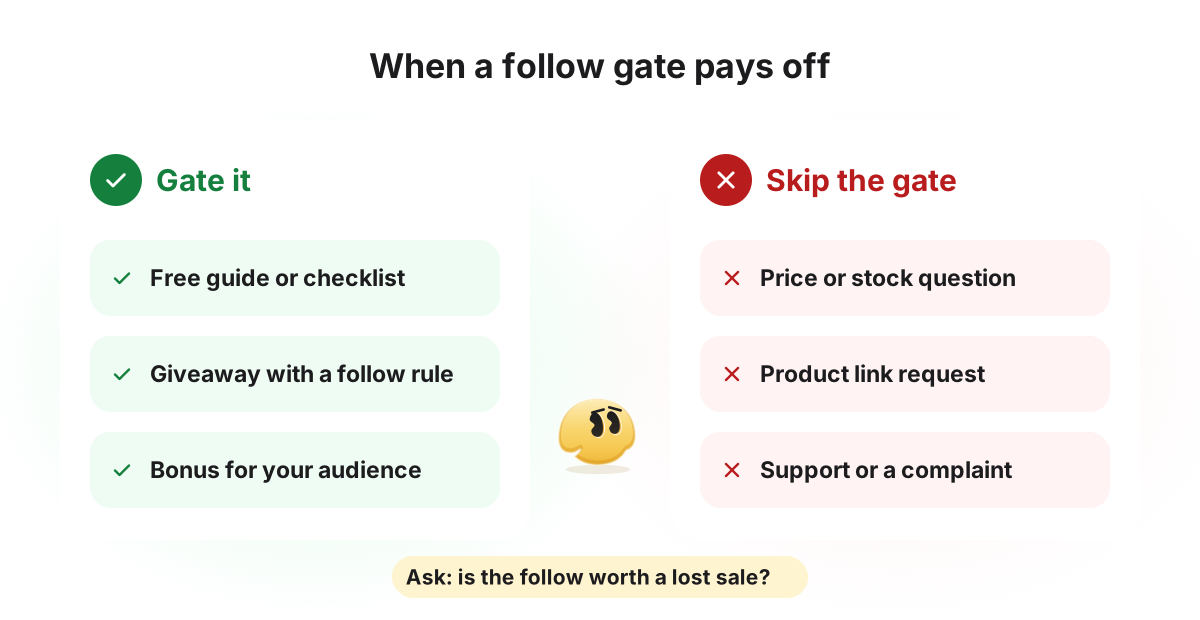
A second reason to think twice: a follow given in exchange for a freebie tells you little about interest in your account. If the reward is worth more than your feed, some of those followers leave once they have it.
You don't have to guess which way it goes for you. In GetChat, Leads collected counts people who reached the main reply (with a gate, that means people who got past it), while DMs sent counts everyone who entered the automation. Run a gated and an ungated automation on comparable posts, then compare their conversion in the Automation performance table in Analytics, which the Free plan includes. Your own numbers beat any benchmark.
Frequently asked questions
Can a tool check if someone follows me without a button tap?
Not through the official API. Meta makes follow status readable only after the person has messaged your account or tapped an icebreaker or menu item. A comment is not enough, so the first DM needs a button.
Why does the bot ask people who already follow me to follow?
Most likely Instagram returned no status for them: consent had not registered yet, or the request failed. GetChat handles that like "not following" and offers a button that checks again. A repeat tap does not always help, so write the non-follower message so it reads well to followers too.
Is a follow gate the same as a follow-for-follow bot?
No. Follow-for-follow tools follow and unfollow accounts to win follow-backs. A follow gate follows nobody; it asks Instagram about one person who is already in a conversation with you, after they have tapped a button.
How do I automatically DM new followers on Instagram?
That is a different mechanic. A follow gate reacts to something the person did (a comment, then a tap) and only checks their status; it does not fire when someone follows you. GetChat has no new-follower trigger, because Instagram does not send it a follow event. The closest options are the First message from a new contact trigger, which replies to people who write to you for the first time (including from Requests), or a follow gate on a comment.
Does a follow gate work on Reels?
Yes. The comment trigger covers posts and Reels, either one chosen post or all of them. The gate sits on the Messages step, so it behaves the same whichever post the comment came from. Where to show the keyword in a Reel and how to deliver a PDF are covered in sending a link from Reel comments.
Is the follow check free in GetChat?
Yes. The Free plan includes it, along with 300 automated conversations a month and one Instagram account. Pro and Growth are listed as coming soon.
Sources
- Meta: Private Replies (one reply, 7 days, Inbox vs Requests, 24 hours after a response)
- Meta: User Profile API — is_user_follow_business and user consent
- Meta: Messaging API — 24-hour window and Requests folder
- ChatPlace blog (Russian): follow check bot for Instagram (checked Oct 20, 2026)
- CreatorFlow pricing (checked Oct 20, 2026)
Keep reading
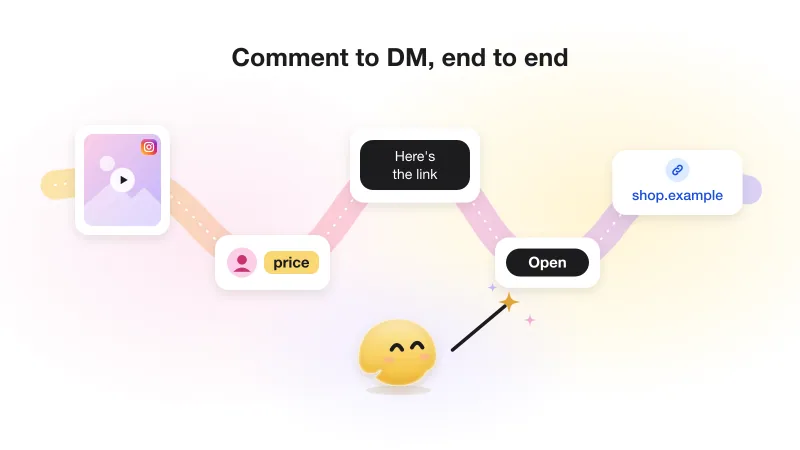
Instagram comment-to-DM automation: the complete guide (with Meta's actual rules)
The whole comment-to-DM chain on one page: Meta's rules with sources, the setup, the viral-day limit and what not to automate.
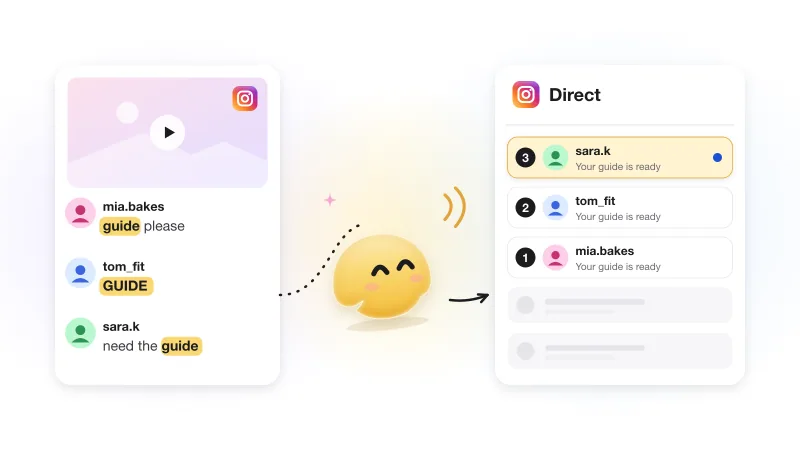
How to automatically DM everyone who comments on your Instagram post
One comment buys you one DM. What to put in it, why it needs a button, and what happens when nobody taps or the post is old.