Does Instagram allow automated DMs? Meta's rules, windows and limits (with sources)
Contents
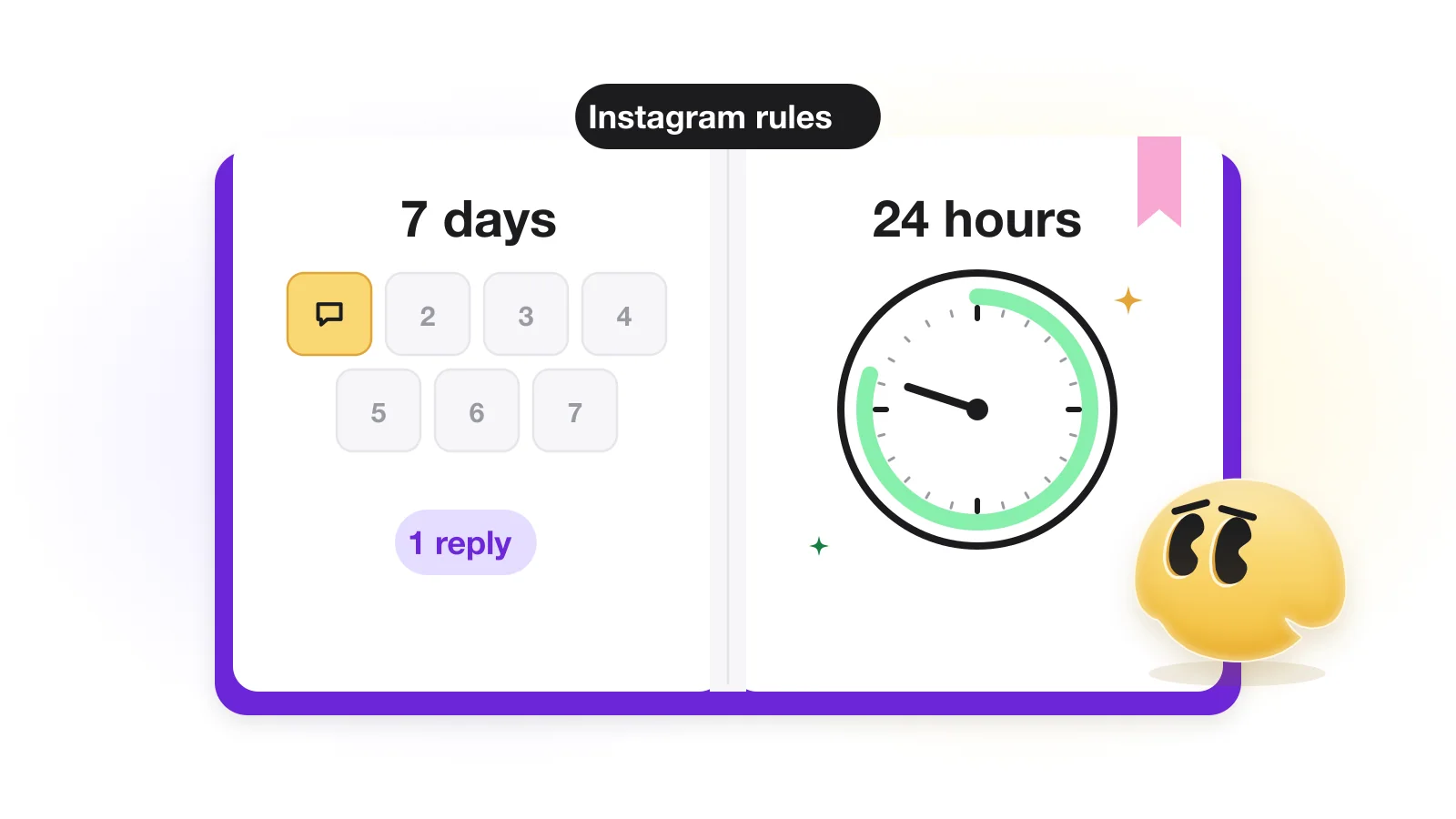
Yes. Instagram allows automated DMs through Meta's official messaging API, but only as answers to something the person did. A comment allows one private reply, sent within 7 days of it. Once the person replies or taps a button, you can keep writing for 24 hours after their last message. Private replies to post and Reel comments are capped at 750 an hour per account. Messaging people who never wrote to you is not possible.
Below, each rule links to Meta's developer documentation (re-read on October 20, 2026), with what it means in practice and how GetChat handles it. For the setup itself, start with the comment-to-DM guide.
The principle: automation can only answer
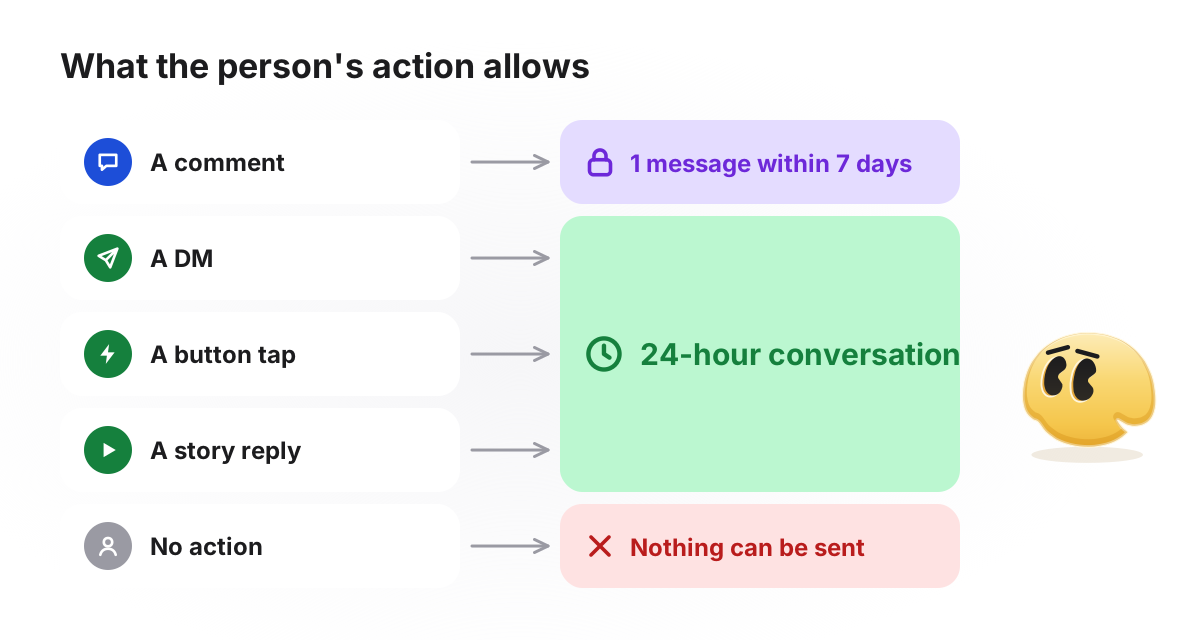
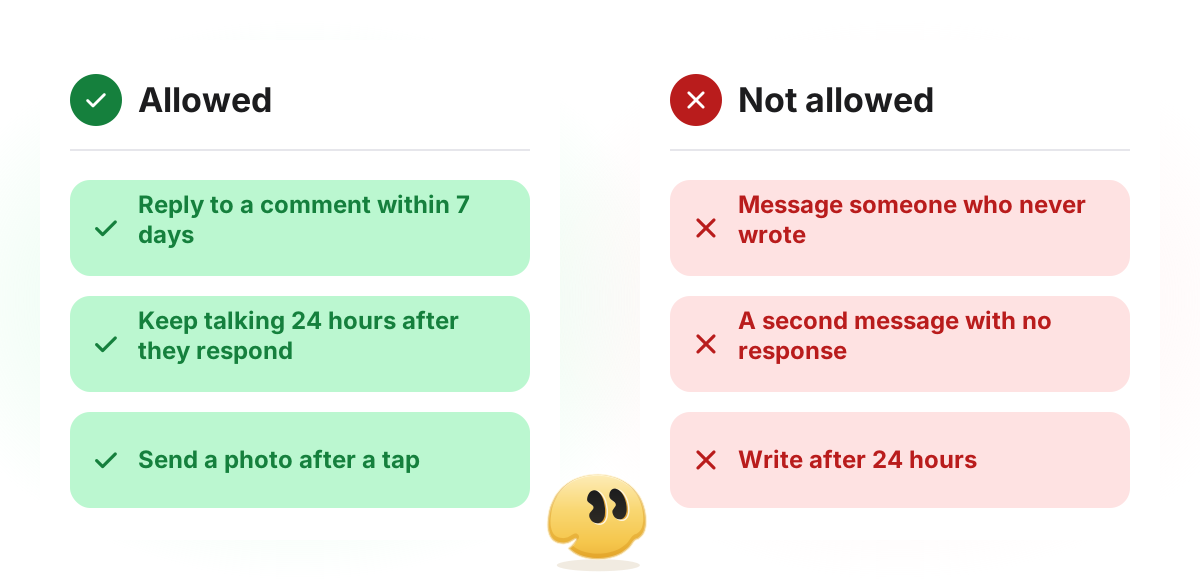
Almost every limit follows from one rule. Meta's Messaging API lets a business send a DM only after the person has messaged it. The single exception is a comment: it allows one private reply, a DM addressed to that comment. A tool can answer a comment, a DM, a story reply or a button tap. It cannot open a conversation with someone who did nothing.
So there is no official way to DM all your followers, and Instagram does not tell tools when someone follows you: a new follower gets an automated message only once they write first (how follow gates handle that). A service that promises to message everyone who follows you is most likely logging in with your password and working around the API.
Time windows: 7 days, 24 hours and Live
Meta's timing rules (checked October 20, 2026)
| Rule | What it means in practice | Source |
|---|---|---|
| One private reply per comment | The first DM has to carry the useful part and a button | Private replies |
| The private reply within 7 days of the comment | Counted from the comment, not the post. Switching automation on for an old post won't reach week-old comments | Private replies |
| After a reply or tap: 24 hours from their last message | Every new message from them starts the 24 hours again | Private replies, Messaging API |
| Live comments: only while the broadcast runs | Once the Live ends, no private reply is possible | Private replies |
| After a Click-to-Direct ad: up to 7 days | Applies only to conversations started from that ad | Overview |
| Human agent tag: 7 days, for a person answering | Meant for support that can't be finished in 24 hours; needs App Review. It does not extend automation | Overview, App Review |
The confusion is almost always between the first three rows. A DM, a button tap or a story reply opens the 24-hour window. A comment does not: until the person responds, the one private reply is all you can send.
- Commentmenu
- Public replySent you a DM. Not there? Check your message requests.
- DMHi! This is an automated reply. Tap below and I'll send this week's menu. [Button: "Send the menu"]
- DMAfter the tap: Here's the menu with prices and order times. [Button: "Open the menu"]
The first DM used the one-private-reply allowance. The second was allowed only because of the tap, which Instagram passes to the tool as a message, so it starts the 24 hours. That button is a quick reply, and Meta says quick replies are not available on desktop: someone on a computer can only type. A typed answer opens the window too, but in GetChat an automation moves on only after a tap, so you answer typed messages yourself.
Can the 24-hour window be extended?
Not for automated messages. The human agent tag gives 7 days, but only for replies a person writes, and the feature needs App Review. The window moves only when the person acts: each new message or tap starts a fresh 24 hours. GetChat does not use the human agent tag.
Repeat actions: per comment, not per person
Meta counts each action separately, which has consequences guides rarely spell out:
- A new comment is a new private reply. The one-message rule applies to a comment (Private replies). Someone who comments on three posts can get three private replies, each with its own 7 days.
- A new message is a new 24 hours. The window counts from their latest message (Messaging API), and a quick-reply tap arrives as a message.
- The hourly limit counts replies, not people. Five comments from one person use five of the 750 private replies in that hour.
- "One reply per person" is a tool setting, not a Meta rule. Instagram sets no such limit; tools offer it as a switch.
In GetChat, every new matching comment gets its own reply by default, even from the same person. The Only once toggle allows one reply per person for the whole automation, so on an all-posts automation someone answered under one post is skipped under another. The Any message (DM) trigger answers each person once without any toggle.
Inbox or Requests: where the DM lands
According to Meta's private replies documentation, the private reply goes to the person's Inbox if they follow your account and to Requests if they don't. Requests aren't marked as seen until they are accepted (Overview), and many people never open that folder. Say where to look in the public reply under the comment: "Sent you a DM. Not there? Check your message requests."
One more rule concerns tools: conversations in Requests that have been inactive for 30 days are no longer returned by the API (Messaging API).
Rate limits: 750 an hour, and 100 or 300 a second
Meta's documentation sets no daily cap on DMs. The limits are per second or per hour, and they belong to each Instagram professional account.
Messaging limits per Instagram professional account (checked October 20, 2026)
| What | Limit | Source |
|---|---|---|
| Private replies to post and Reel comments | 750 per hour | Instagram, Messenger |
| Private replies to Live comments | 100 per second | Instagram, Messenger |
| Send API: text, links, reactions, stickers | 100 per second | Instagram, Graph API |
| Send API: text, links, reactions, stickers | 300 per second | Messenger |
| Send API: audio or video | 10 per second | Instagram, Messenger |
| Reading conversations (Conversations API) | 2 per second | Instagram, Messenger |
Meta's own pages disagree on one number: the Instagram Platform and Graph API pages give 100 calls a second for text, the Messenger Platform page 300. Meta doesn't say which applies, so both are listed. For auto-replies it hardly matters. Even 100 a second is 360,000 an hour; the limit you actually meet is 750 private replies an hour. If a Reel collects 1,200 keyword comments in one hour, about 450 replies won't fit into that hour.
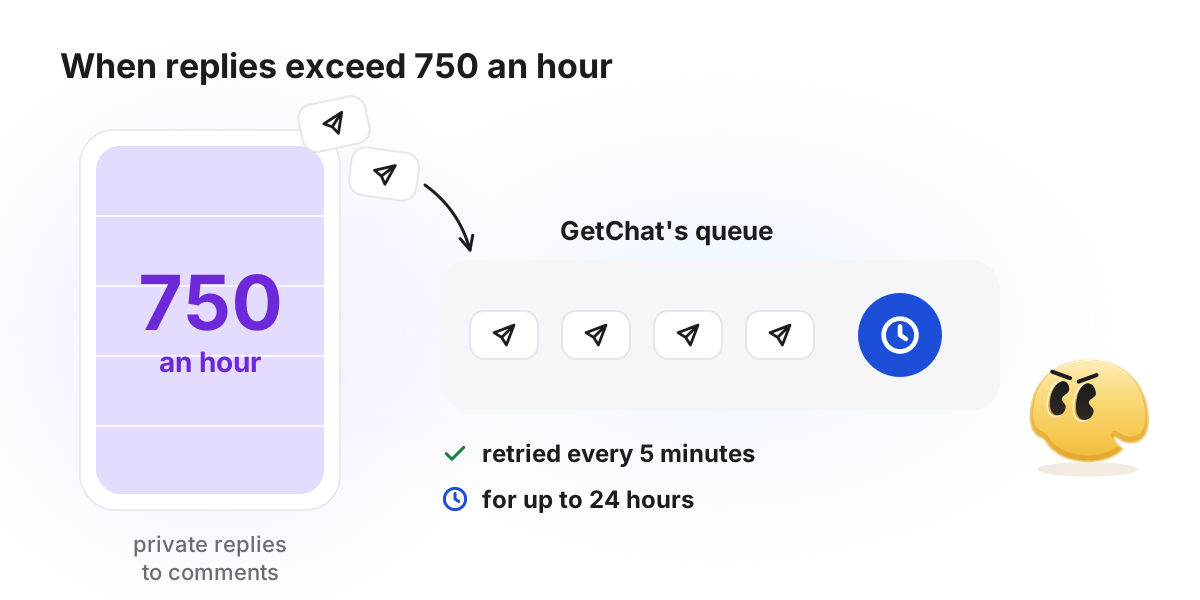
In GetChat (as its code works in October 2026), a message that hits the hourly limit waits in a queue and is tried again every 5 minutes for up to 24 hours, then dropped. It is dropped sooner if you pause the automation, and a regular DM also if its 24-hour window closes while it waits. A temporary Instagram error is retried up to three times; an unknown one is not, so nobody gets the same message twice.
What a tool can know about the person
Whether someone follows you comes from the is_user_follow_business field. Meta returns profile data only with the person's consent, and consent is set only when they send a message, tap an icebreaker or use a persistent menu (User Profile API). A comment is not enough, and the profile of someone who blocked you can't be read at all.
That shapes every "follow to get it" funnel: at the moment of the comment the tool cannot know whether the person follows you. It learns after they write, and a quick-reply tap counts. When Instagram gives no answer, GetChat treats the person as not following: it sends your "follow first" message with a button that checks again. Details in the guide to follow gates.
Account and connection requirements
Account and connection (checked October 20, 2026)
| Requirement | What it means | Source |
|---|---|---|
| Professional account | Business or Creator; a personal account can't connect | Overview |
| Instagram Login or Facebook Login | With Instagram Login, no Facebook Page is needed | Overview |
| Permissions | instagram_business_basic and instagram_business_manage_comments for private replies; instagram_business_manage_messages for conversations | Private replies, Messaging API |
| Advanced Access | Needed by a tool that serves accounts it doesn't own; it requires App Review | Messaging API, App Review |
| Allow access to messages | Must be on for a connected tool to manage your messages | Meta's setup guide |
The last switch is in the Instagram app: Settings → Messages and story replies → Message controls → Connected tools → Allow access to messages. The permissions a tool asks for are listed in Instagram's own login window when you connect it.
Message content: length, files, disclosure
Text is limited in bytes, not characters: 1,000 bytes of UTF-8 (Messaging API). Plain English is about one byte a letter, while emoji and non-Latin scripts take more. Images can be up to 8 MB; audio, video and PDF files up to 25 MB. Group chats are not supported, so automation works only in one-to-one conversations. Quick replies are limited to 13 buttons of 20 characters, plain text only (Quick replies).
In GetChat, the private reply to a comment carries text and buttons (an image only as a card with buttons); photos, videos and files follow once the person has tapped or written. A message can have up to three link buttons. On the Free plan, messages end with a "🤖 powered by GetChat.io" line.
Then there is disclosure. Meta's Messaging API page says automated chat experiences must tell people they are talking to an automated service where the law requires it, names California and Germany as markets that need special attention, and recommends it everywhere as good practice. One line in the first DM covers it: "This is an automated reply."
Will automated DMs get my account restricted?
No tool can promise that an account will never be restricted: Instagram makes those decisions. What the API does enforce is narrower: a message outside a window or over a limit is simply refused. The risk comes from what stays in your hands:
- giving your password to a third-party form instead of connecting through Instagram's own login window;
- messages that push offers instead of answering what the person asked for;
- automating replies to complaints and difficult questions that need a person;
- not saying that a reply is automated.
How GetChat works inside these rules
Meta's rules and GetChat's behaviour (from GetChat's code, October 2026)
| Rule | What GetChat does |
|---|---|
| One private reply per comment | The automation continues only after a button tap. A typed answer opens the 24 hours, but you reply to it yourself |
| The same person comments again | Gets their own reply by default; skipped with Only once |
| 7 days for the private reply | Instagram's refusal for an old, deleted or already answered comment is not retried: the answer would not change |
| Live comments | Not handled: the comment trigger covers posts and Reels |
| 24 hours to keep writing | A message outside the window is not sent or retried. Reminders (Pro and Growth, coming soon) are skipped once the window closes |
| 750 private replies an hour | Queue: retried every 5 minutes for up to 24 hours |
| Follow status needs a message | Unknown status counts as not following; the button checks again |
| Your plan's allowance | When the month's automated conversations run out, no new one starts, and the public reply under the comment isn't posted either, so it never promises a DM that won't come |
In short
Instagram automation only answers: one private reply per comment within 7 days, then 24 hours after the person's latest message, and no more than 750 private replies an hour. A repeat comment is a new right to reply; "once per person" is your tool's setting. If something doesn't fire, go through the symptom-by-symptom diagnosis; for the setup, see the comment-to-DM guide.
FAQ
Is there a daily limit on automated Instagram DMs?
Not in the Meta documentation we checked. Meta publishes per-hour and per-second limits per account. For auto-replies the one that matters is 750 private replies an hour to post and Reel comments (Overview). Numbers like "1,000 a day" are individual vendors' advice.
Can an automation message someone after 24 hours?
No. Once 24 hours have passed since the person's last message, no automated message can be sent until they write again or leave a new comment. The human agent tag extends the window to 7 days only for replies a person writes by hand.
What happens if someone comments several times?
Under Meta's rules each comment allows its own private reply, so the same person can get the same DM more than once. Limiting that is up to the tool; in GetChat it is the Only once toggle.
Is using a DM automation tool against Instagram's rules?
Not in itself. Private replies and automated answers within the 24-hour window are features of Meta's official API, and a tool that serves other people's accounts needs Advanced Access, which requires App Review. Tools that ask for your password, or promise messages to people who never wrote, work outside that API.
Can I send an automated DM to every new follower?
No. The API doesn't notify tools about new followers, and a business can't start a conversation. A new follower can be answered automatically once they write to you or comment.
Sources
- Meta for Developers — Private Replies (one message per comment, 7 days, Live, Inbox vs Requests; checked 2026-10-20)
- Meta for Developers — Instagram Messaging API with Instagram Login (24 hours, 1,000 bytes, attachments, disclosure; checked 2026-10-20)
- Meta for Developers — Instagram Platform overview (rate limits, messaging windows, human agent; checked 2026-10-20)
- Meta for Developers — Messenger Platform rate limiting (Instagram limits; checked 2026-10-20)
- Meta for Developers — Graph API rate limiting (app limit, Instagram Platform formula; checked 2026-10-20)
- Meta for Developers — User Profile API (is_user_follow_business, consent; checked 2026-10-20)
- Meta for Developers — Quick replies (13 buttons, not on desktop; checked 2026-10-20)
- Meta for Developers — Instagram messaging setup (Allow access to messages; checked 2026-10-20)
- Meta for Developers — Instagram Platform App Review (Advanced Access, Human Agent; checked 2026-10-20)
Keep reading
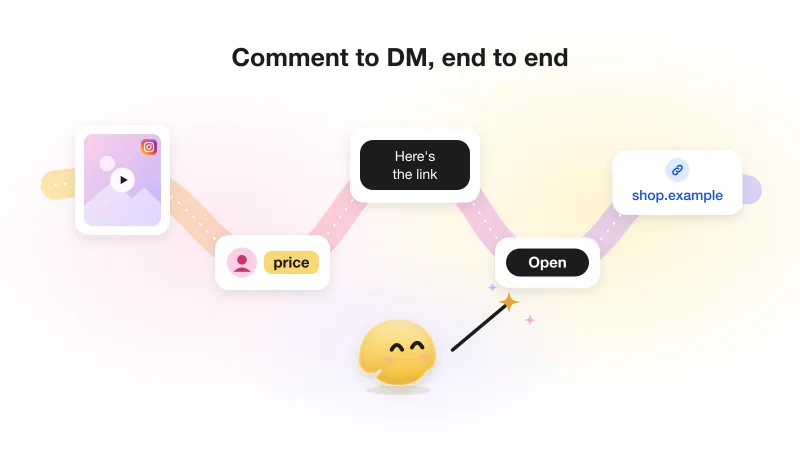
Instagram comment-to-DM automation: the complete guide (with Meta's actual rules)
The whole comment-to-DM chain on one page: Meta's rules with sources, the setup, the viral-day limit and what not to automate.
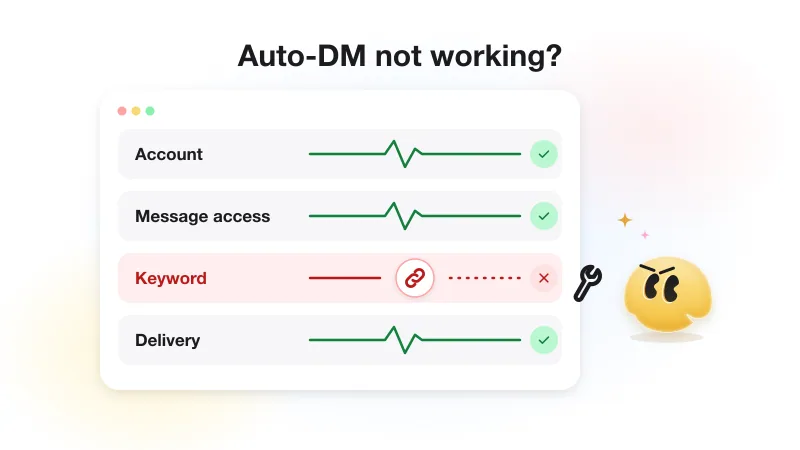
Instagram auto-DM not working? Diagnose it by symptom
Four symptoms, four places to look: nothing fires, a reply but no DM, silence after the first DM, or only some people get it.
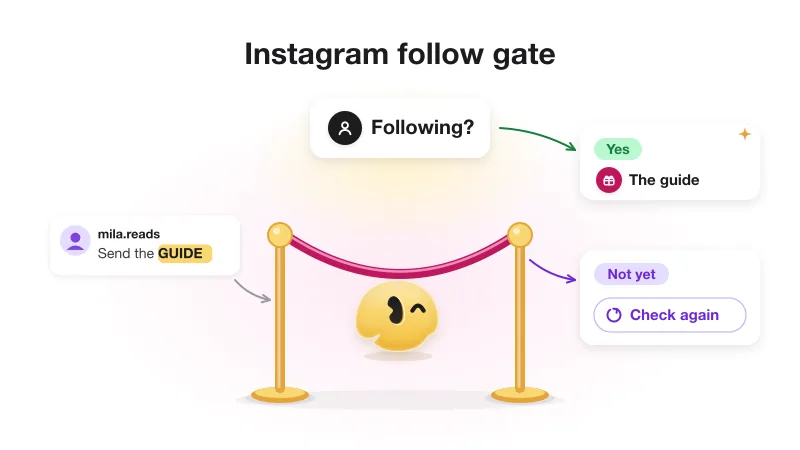
Instagram follow gate: how "follow to get the link" works (and when not to use it)
Why a follow gate can only check after a tap, the three answers Instagram gives, repeat visitors, and when gating costs a sale.