Free Instagram auto-DM tools compared: what each free plan really includes
Contents
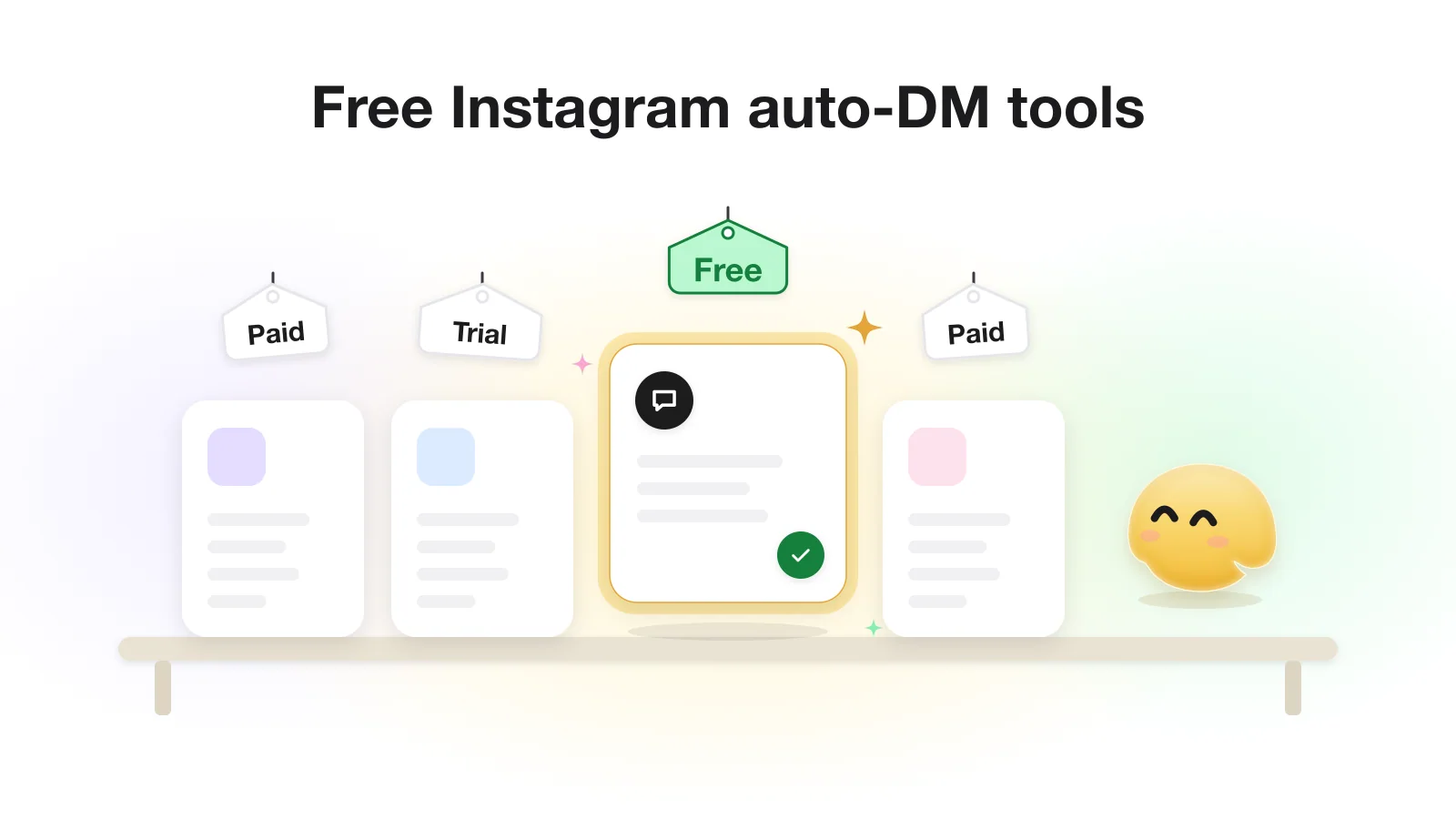
Yes, you can auto-DM people who comment on your Instagram posts for free. GetChat, Manychat, ChatPlace, Inrō, CreatorFlow, InstantDM, LinkDM, ReplyRush and Zorcha all have a permanent free plan on Meta's official API, enough to send a link or a freebie when someone comments a keyword. The catch: each counts its limit in a different unit (contacts, DMs, conversations), so the biggest number on a pricing page is not always the most generous plan.
Below are nine free plans with the date we checked each one, a way to turn their limits into people per month, and the two features that most often separate them: the follow check and the hard caps Meta sets for everyone. If you are new to the mechanic itself, read what comment-to-DM automation does first.
What a free plan should give you
Searches for a free Instagram auto DM tool return two kinds of product. Official tools connect through Instagram's own login, never ask for your password, and only message people who commented or wrote to you. The others log in with your password or a browser extension and message on their own schedule, which puts your account at risk at any price. This comparison covers only official tools.
Official tools need an Instagram professional account (Business or Creator). With Instagram Login you do not need a Facebook Page; only the older Facebook Login path requires one, according to Meta's Instagram Platform overview.
Also separate a free plan from a trial. A free plan renews its allowance every month for as long as you stay within it; a trial lends you a paid plan for a fixed number of days. Several tools below offer both: Manychat has a 14-day trial of Essential or Pro, CreatorFlow 14 days of Pro or Growth, and ChatPlace 7 days of Pro (pricing pages, checked 2026-10-20). GetChat has no trial; its Free plan is the way in and has no time limit. This article compares only the plans that stay free.
Free plans side by side
These are the tools that came up in Bing US results for free auto-DM and comment-to-DM queries, plus Manychat, Inrō and ChatPlace, which people also search for by name. Every figure comes from the tool's own pricing or help page on the date in the source list. Plans change often, so open the source before you decide; the links are at the end of the article.
Free allowance and follow check
| Tool | Free allowance a month | Follow check on Free |
|---|---|---|
| GetChat | 300 automated conversations | Yes |
| Manychat | 25 active contacts | No (Essential and up) |
| ChatPlace | 200 active contacts | Not confirmed by us |
| Inrō | 100 activated contacts | Not confirmed by us |
| CreatorFlow | 500 automated DMs | No (Pro and Growth) |
| InstantDM | 500 DM automations | No (from Legend Pro, see note) |
| LinkDM | 1,000 DMs | Not documented |
| ReplyRush | 1,500 DMs | No (from Lite) |
| Zorcha | Unlimited automations and DMs | Yes (Ask for Follow) |
Other Free limits and the first paid plan (US dollar list prices unless marked, checked 2026-10-20)
| Tool | Other Free limits | Paid from |
|---|---|---|
| GetChat | 1 account, unlimited automations, GetChat mark in messages | Pro $12/mo, coming soon (not on sale) |
| Manychat | Up to 4 active automations, 2 channels, Manychat branding | Essential $17/mo ($14 billed annually) |
| ChatPlace | 1 account or bot, ChatPlace branding | Pro $20/mo ($16 billed annually) |
| Inrō | 3 active automations, 3 DM campaigns a month | Pro €12.99/mo |
| CreatorFlow | 1 account | Pro $15/mo ($12 billed annually) |
| InstantDM | 1 account, 5 post automations, 3 trigger words | Legend Pro $9.99/mo billed yearly |
| LinkDM | 1 account, LinkDM branding | Pro $19/mo |
| ReplyRush | 1 Instagram account, 5 global triggers; its pricing page marks "Comment Auto Reply" as paid | Lite $10/mo |
| Zorcha | AI FAQ capped at 20 entries | Pro $14.99/mo ($9.99 billed yearly) |
Two caveats. 1,500 DMs and 100 contacts are not comparable until you know how many DMs one person costs. And some plans are more generous than ours on volume: Zorcha states no cap at all, and ReplyRush and LinkDM cover more people than GetChat's 300 conversations even after the conversion below.
Turn every limit into people per month
Pick the unit that matters to you: people. Then count how many messages one person receives in your flow. A typical comment-to-DM flow sends two: the first DM with a button, and the DM with the link after the tap. Add a follow check and a person who is not yet following gets a third.
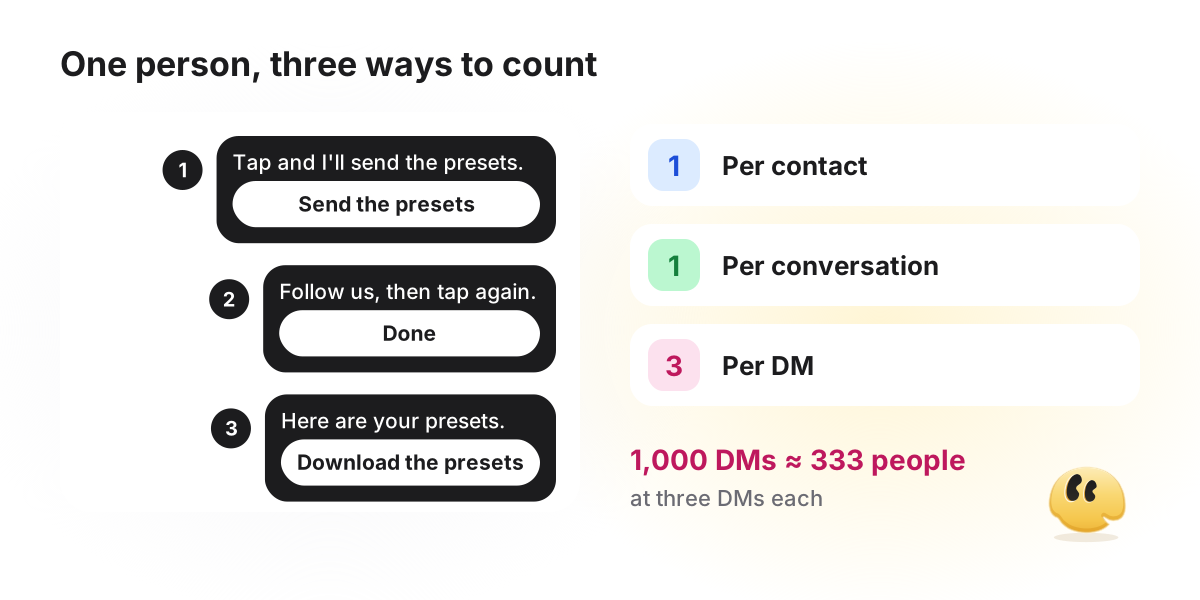
- Contact or conversation plans (Manychat, ChatPlace, Inrō, GetChat): one person is one unit, however many messages the flow sends. Check whether a person who comes back next month counts again.
- DM plans (CreatorFlow, LinkDM, ReplyRush): divide by messages per person. For example, 1,000 DMs at two DMs each is about 500 people, and about 333 at three.
- GetChat conversations: one person going through one automation. Everything it sends them within 24 hours of the first message counts once, and a message Instagram refuses is not counted.
Then estimate your demand. Take last month's posts and count the comments a keyword would have caught. For example, four posts with about 50 matching comments each is about 200 people. On a two-DM flow that needs about 400 DMs, so a 500-DM plan fits, a 25-contact plan does not, and a 300-conversation plan fits with room left.
What “unlimited” means when Meta sets the ceiling
A free plan's cap is the tool's ceiling. Above it sits Meta's ceiling, which is the same on every plan of every tool, free or paid. When a plan says “unlimited”, it means the tool adds no cap of its own, not that Instagram stops counting.
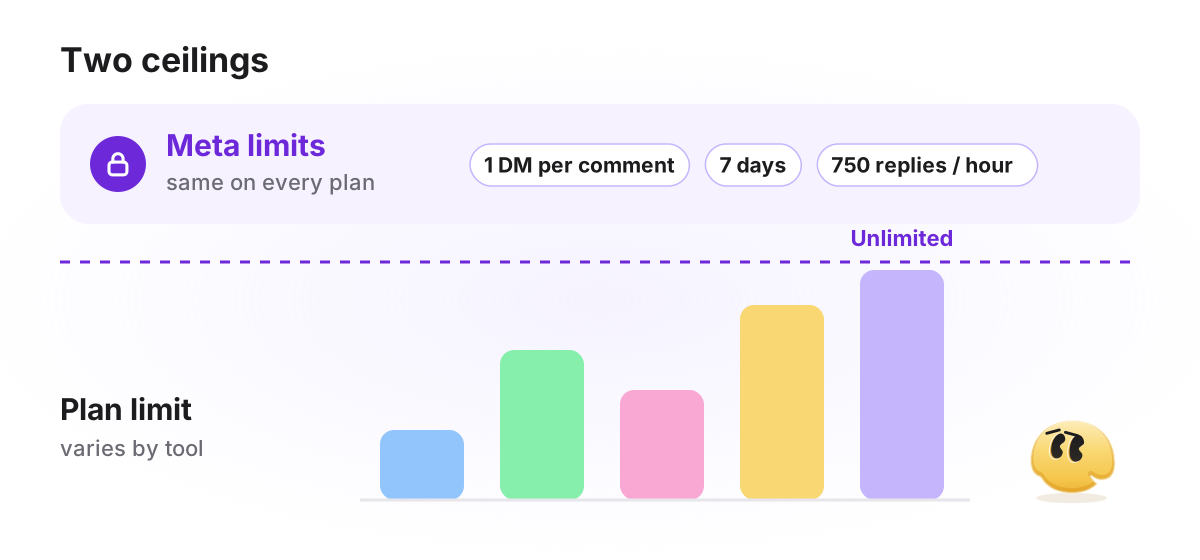
- One message per comment. A private reply to a comment is a single DM, and it must go out within 7 days of the comment (Meta: private replies).
- Nothing more until they respond. Follow-up messages can only be sent after the person replies, and then within 24 hours of that reply (same page, and the Messaging API).
- 750 private replies an hour. Meta lists this rate limit per professional account for replies to post and Reel comments (Meta: rate limiting).
- Requests folder. If the person does not follow you, the DM lands in their message requests, not their main inbox (Meta: private replies).
So the first DM should carry a button, because it is the only message you get until the person answers. And on an “unlimited” plan, Meta's 750 an hour still applies to a viral post; ask the tool what happens to the replies above it before you run a giveaway.
Follow checks on a free plan
A follow check (also called a follow gate) sends the reward only to people who follow you. It is the feature free plans most often leave out: in the table, Manychat, CreatorFlow, InstantDM and ReplyRush put it on paid plans, while GetChat and Zorcha include it on Free.
How a tool checks matters as much as whether it does. Instagram tells a tool whether someone follows the account through a profile field, and that field is available only after the person has sent a message (in practice, a tap on a reply button counts, because Instagram delivers it as a message); a comment alone is not enough (Meta: user profile). So a real check always needs a tap first, and a tool has to decide what to do when Instagram still gives no answer. Our follow gate guide covers that choice in detail.
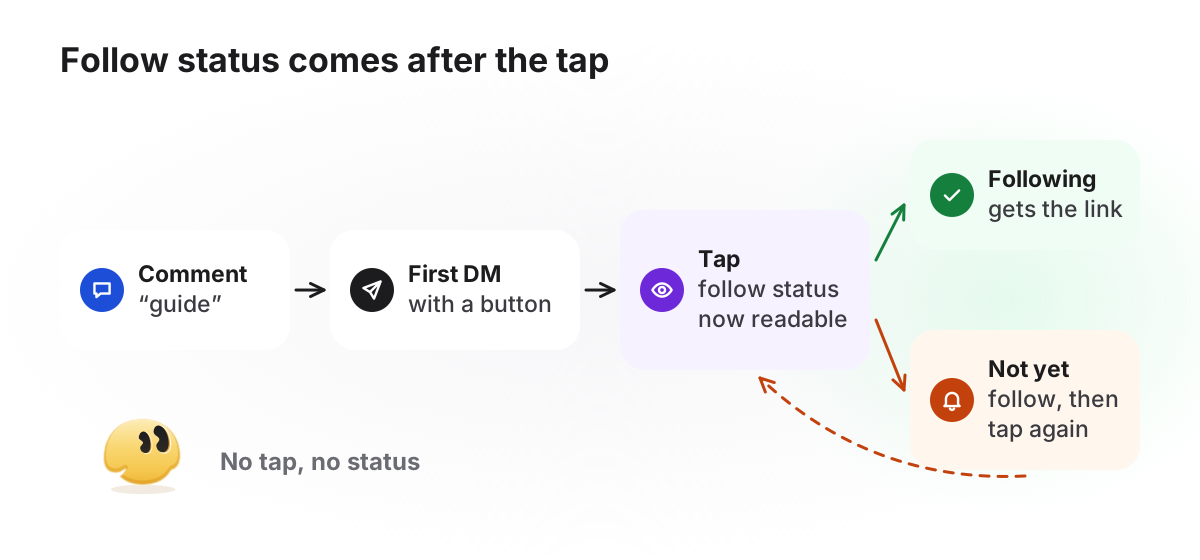
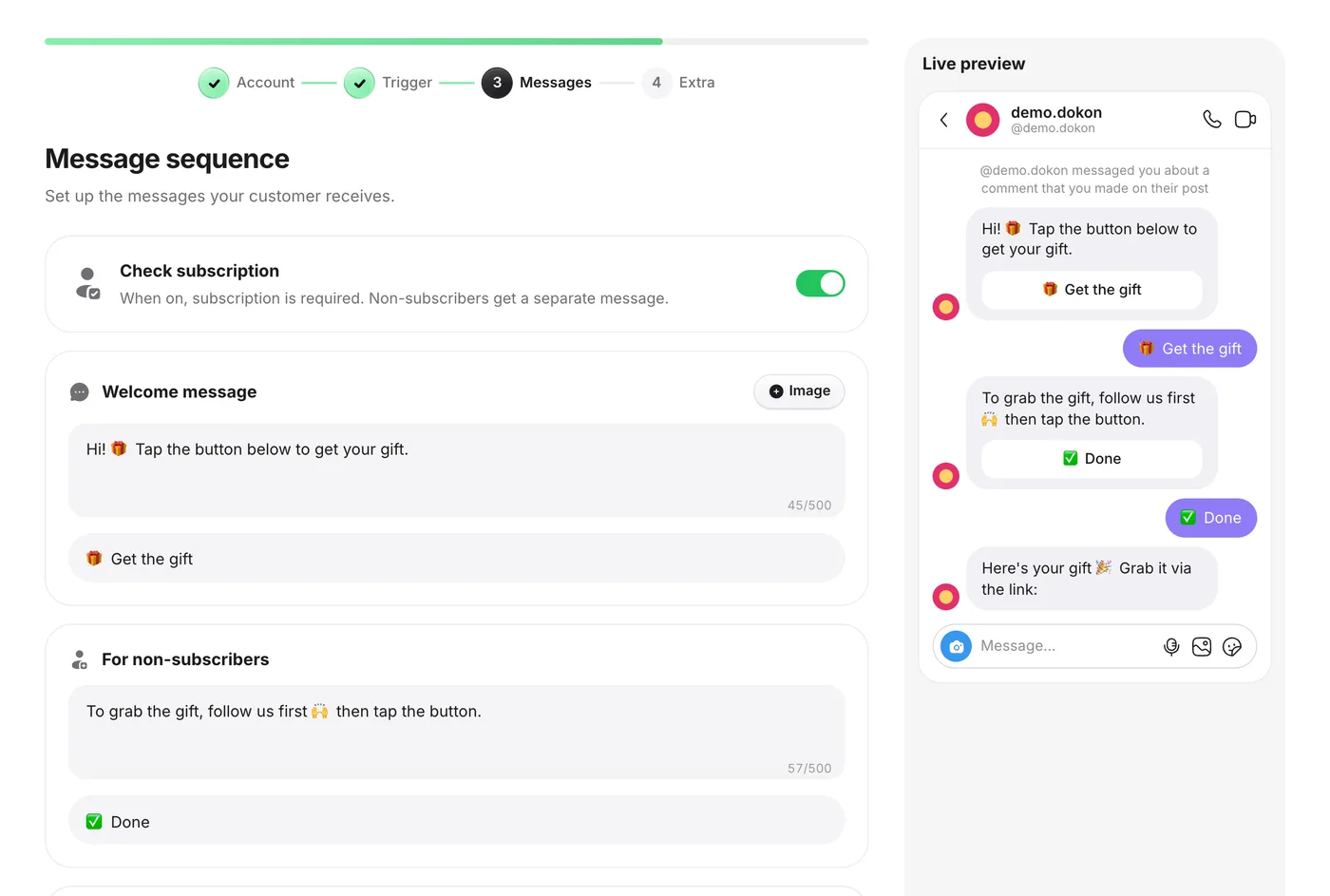
In GetChat the check is the Check subscription toggle on the Messages step. When Instagram confirms the follow, the person gets the main reply with your link. When it says they are not following, or gives no answer, they get the non-follower message with a button that asks Instagram again. GetChat asks people to follow and then checks; it cannot make anyone follow, and it does not detect every follower in advance.
GetChat's free plan, and where others give more
Since we are comparing, here is our own plan with the same honesty. Every new GetChat account starts on Free, with no card and no time limit. There is no trial, and Pro ($12 a month) and Growth ($29 a month) are shown on the pricing page as coming soon: you cannot buy them yet.
| Included on GetChat Free | Not included on GetChat Free |
|---|---|
| 300 automated conversations a month, 1 Instagram account, unlimited active automations | A second Instagram account |
| Comment-to-DM on posts and Reels, keywords (up to 30 per automation), optional public reply under the comment | Reminder and delayed follow-up messages |
| Follow check, link buttons, photos and video in DMs (a PDF goes as a link button) | Removing the “powered by GetChat.io” line from messages |
| Story reply, story mention and DM keyword triggers; basic analytics (DMs sent, link clicks, click-through rate, leads) | Advanced analytics: hourly trends, per-post results, click geography |
Where other free plans are stronger: Zorcha, ReplyRush and LinkDM allow more volume; Manychat connects a second channel; Inrō's Free plan includes 50 AI agent credits and Zorcha's includes 20 AI FAQs. GetChat has no AI features and no shared inbox, so if you need AI to answer DMs, email capture or a team inbox, it is not the right tool today.
What a free flow looks like
Setup is the same in almost every tool: connect a professional account through Instagram's own login, pick the post and the keyword, write two messages, and test from a second account. The comment-to-DM guide walks through it with GetChat's on-screen labels. What matters on a free plan is how few messages the flow spends per person. Here is a lean one, for example a photographer giving away a preset pack under a Reel:
presets under a Reel- Commentpresets please
- Public replySent them to your DMs. Check message requests if you don't follow me yet.
- DMHi! These are the 5 warm-film presets from the Reel. Tap below and I'll send the download. [Button: "Send the presets"]
- DMAfter the tap: Here you go, with a 1-minute install note on the page. [Link button: "Download the presets"]
Two messages per person, so on a per-DM plan this flow costs two units and on a contact or conversation plan one. The first button is a quick reply, which Instagram does not show on desktop; a person there can only type, and a typed reply lands in your Instagram inbox for you to answer by hand, because GetChat advances the flow only on a tap. Wording the link button, and delivering a PDF lead magnet as a link, is covered in sending a link in a DM after a comment.
How to choose between free plans
- One lead magnet, modest volume: any plan here works. Choose on the follow check and on whether the tool's mark in messages bothers you.
- Giveaways and posts that spike: look at DM plans with large allowances or Zorcha's uncapped plan, and ask how each queues messages above Meta's 750 an hour.
- The reward is for followers only: the follow check is on Free at GetChat and Zorcha; Manychat, CreatorFlow, InstantDM and ReplyRush charge for it.
- Instagram plus another channel, or an inbox for a team: Manychat or Inrō cover more ground; GetChat is Instagram-only.
If none of the free plans fit and you are ready to pay, see our comparison of paid Manychat alternatives, or browse all 38 sourced tool comparisons. For the mechanics behind every tool on this list, the complete comment-to-DM guide covers them end to end.
Frequently asked questions
Can I auto-DM people who comment on my Instagram post for free?
Yes. Most official comment-to-DM tools have a permanent free plan. You connect a professional account, choose a post and a keyword, and write the DM. The free plans differ mainly in how many people they cover each month and whether the follow check is included.
Is there a free Instagram auto DM tool with unlimited messages?
Zorcha's pricing page (checked 2026-10-20) lists unlimited automations and DMs on its free plan. Even then, Meta limits every account to one private reply per comment, within 7 days, and 750 private replies an hour to post and Reel comments, whatever the plan.
What is the best free Manychat alternative for Instagram?
It depends on your bottleneck. Manychat's free plan covers 25 active contacts a month and leaves the follow check to paid plans. If you need more people, DM-based plans like ReplyRush or LinkDM allow more volume; if you need a follow check for free, GetChat and Zorcha include one.
Can I run a giveaway on a free plan?
Yes, if the allowance covers the entries you expect. Count people, not posts: a giveaway Reel can bring more keyword comments in a day than a normal month. Turn on the follow check if following is a rule of the giveaway, and remember Meta's 750 private replies an hour still applies; ask how your tool handles replies above it.
What happens when my free limit runs out?
It depends on the tool. In GetChat, no new automated conversation starts until the next month, and the public reply under the comment is held back too, so your post never promises “check your DMs” for a message that will not come. Your automations stay as they are and resume when the allowance renews.
Sources
- Meta: Private Replies (Instagram Platform)
- Meta: Instagram Messaging API (Instagram Login)
- Meta: User Profile API (follow status and consent)
- Meta: Rate Limiting (Messenger Platform)
- Meta: Instagram Platform overview
- Manychat: pricing (checked 2026-10-20)
- Manychat Help Center: System Fields (follower status, checked 2026-10-20)
- ChatPlace: pricing (checked 2026-10-20)
- Inrō: pricing (checked 2026-10-20)
- Inrō Help Center: message actions (Ask for follow, checked 2026-10-20)
- CreatorFlow: pricing (checked 2026-10-20)
- CreatorFlow Help Center: Follow Gate (checked 2026-10-20)
- InstantDM: pricing (checked 2026-10-20)
- LinkDM: pricing (checked 2026-10-20)
- ReplyRush: pricing (checked 2026-10-20)
- Zorcha: pricing (checked 2026-10-20)
Keep reading
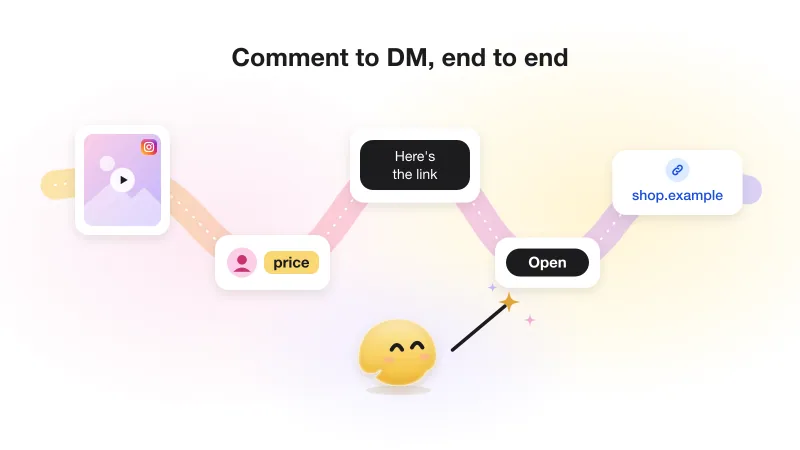
Instagram comment-to-DM automation: the complete guide (with Meta's actual rules)
The whole comment-to-DM chain on one page: Meta's rules with sources, the setup, the viral-day limit and what not to automate.
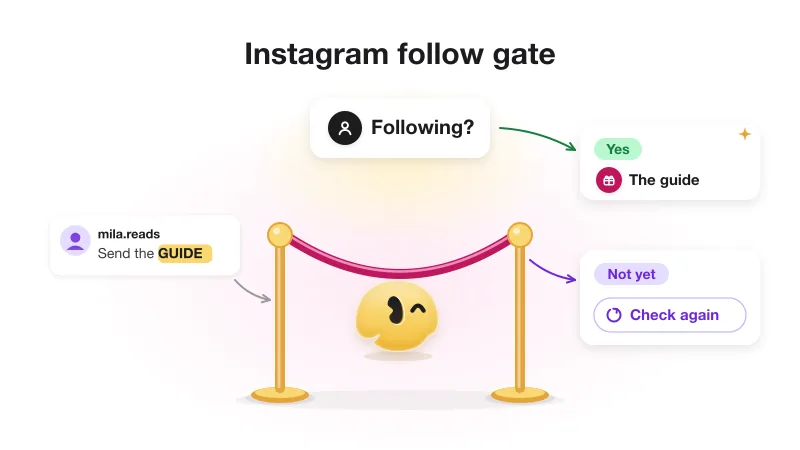
Instagram follow gate: how "follow to get the link" works (and when not to use it)
Why a follow gate can only check after a tap, the three answers Instagram gives, repeat visitors, and when gating costs a sale.